Copyright © 2005 Toshiba Corporation
All rights reserved
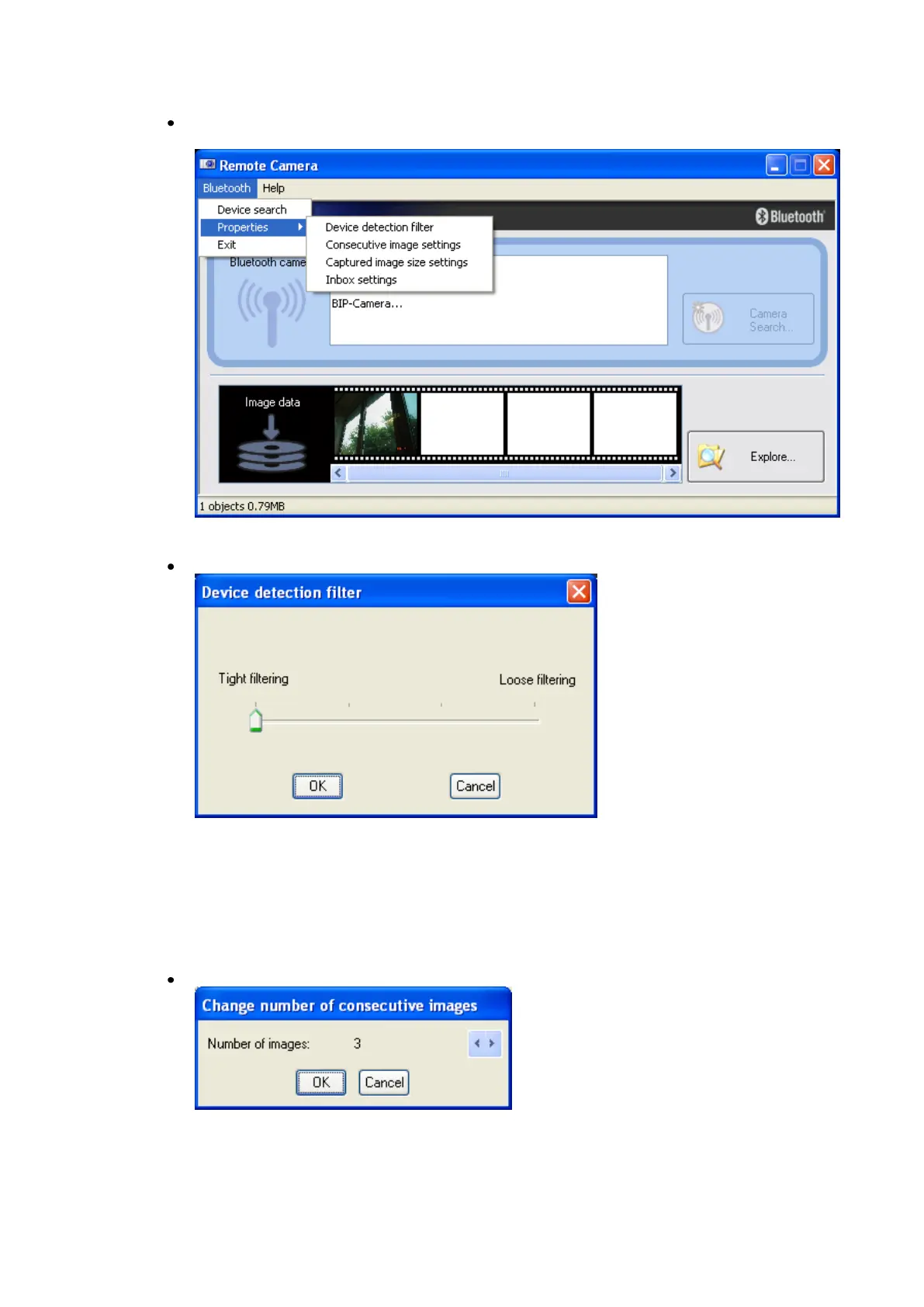
It is possible to change some default settings in the Remote Camera
application. Choose [Bluetooth]->[Properties]->[...] from the menu.
Device detection filter
The Remote Camera application may discover devices other than digital
cameras, depending on which profiles are supported.
Adjusting the setting to “Loose filtering” will increase the chance that
devices other than cameras will be detected. The further you slide the
setting towards “Tight filtering,” the stricter the criteria determining device
detection, and the lower the chance that unwanted devices will be
included.
Change number of consecutive images
Allows you to set the number of consecutive images captured by your
digital camera.



 To Next Page