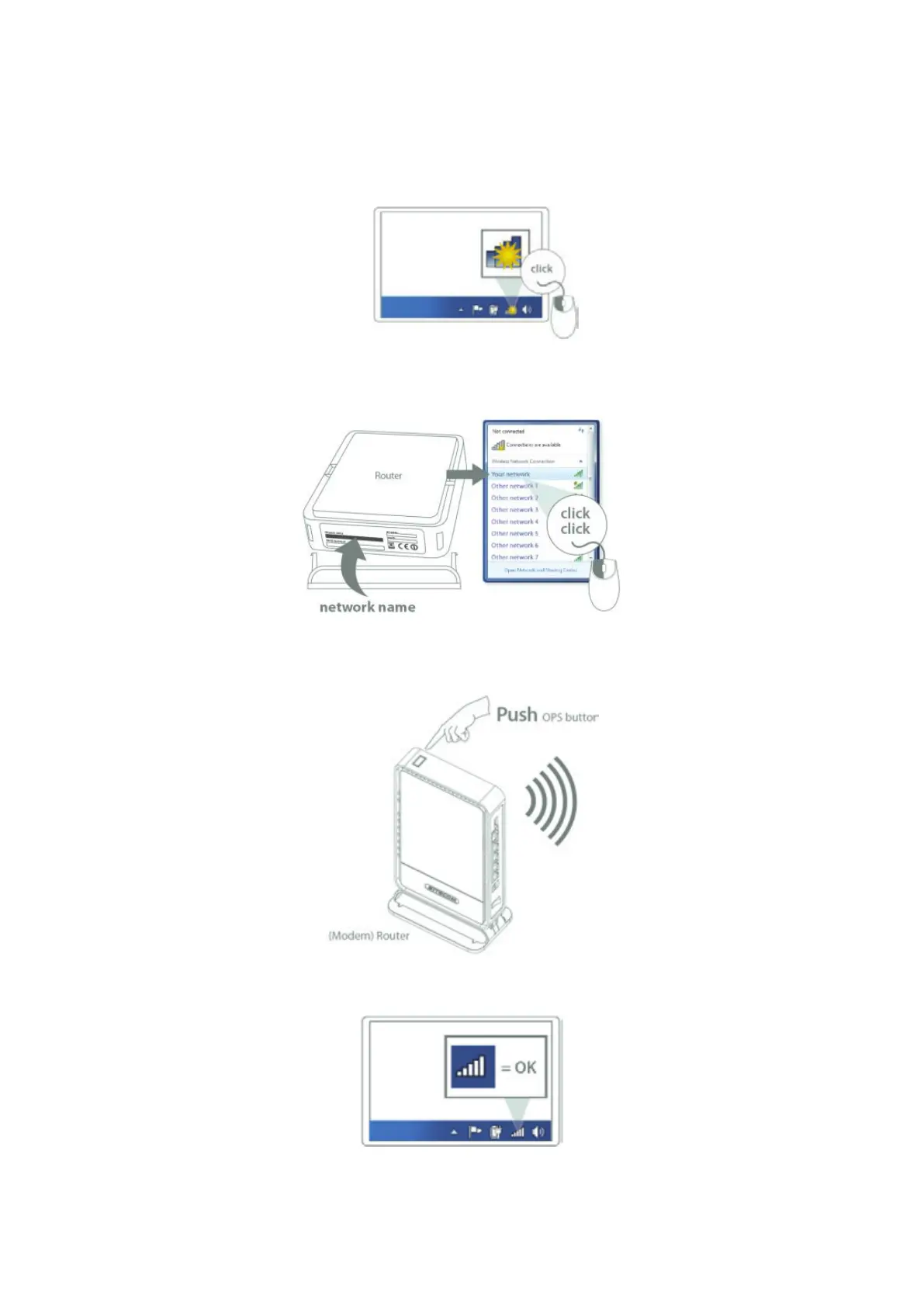
Windows, OPS Connection
Click on the icon for wireless connectivity. This is usually located in the System Tray, next
to the clock.
Select the Sitecom network. The correct network name can be found on the sticker on
bottom of the router, or in the Network Details Folder.
Push the OPS Button on the router. For 2.4GHz, press 0-5 seconds. For 5GHz, press 5-10
seconds.
Wait for the icon to display that it’s connected to the network.



 To Next Page