Firewall Settings
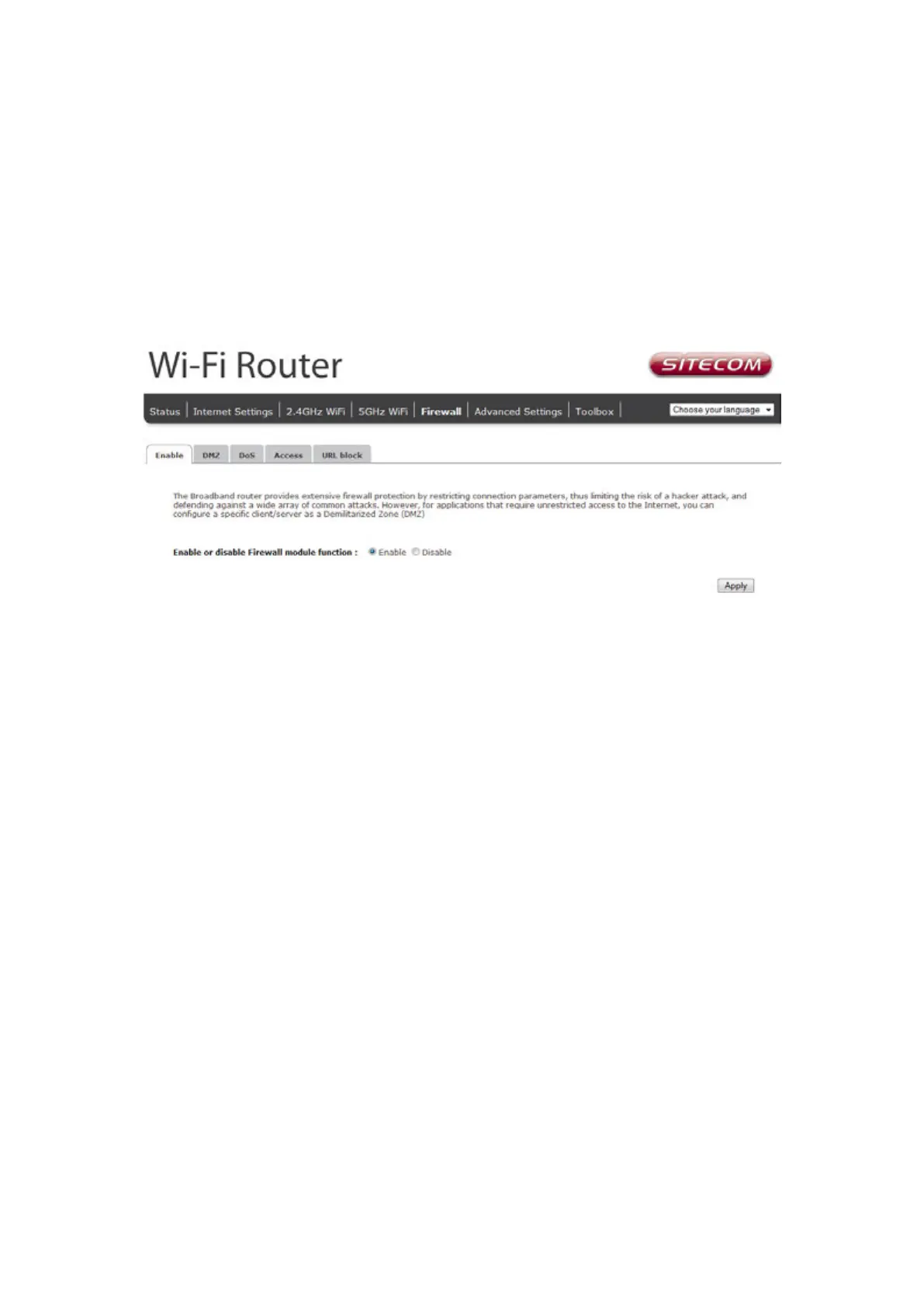
The router provides extensive firewall protection by restricting connection parameters, thus
limiting the risk of hacker attacks, and defending against a wide array of common Internet
attacks. However, for applications that require unrestricted access to the Internet, you can
configure a specific client/server as a Demilitarized Zone (DMZ).
Note: To enable the Firewall settings select Enable and click Apply
DMZ
If you have a client PC that cannot run an Internet application (e.g. Games) properly from
behind the NAT firewall, then you can open up the firewall restrictions to unrestricted two-way
Internet access by defining a DMZ Host. The DMZ function allows you to re-direct all packets
going to your WAN port IP address to a particular IP address in your LAN. The difference
between the virtual server and the DMZ function is that the virtual server re-directs a particular
service/Internet application (e.g. FTP, websites) to a particular LAN client/server, whereas DMZ
re-directs all packets (regardless of services) going to your WAN IP address to a particular LAN
client/server.



 To Next Page