A2 mini User Manual V1.1
41
2023 SIYI Technology Co., Ltd, All Rights Reserved
If video still does not show up, please follow the steps below and make a deep
investigation according to the video output mode, the video display device, and the
application / software you are using.
4.5.1 Video Output to Android Device
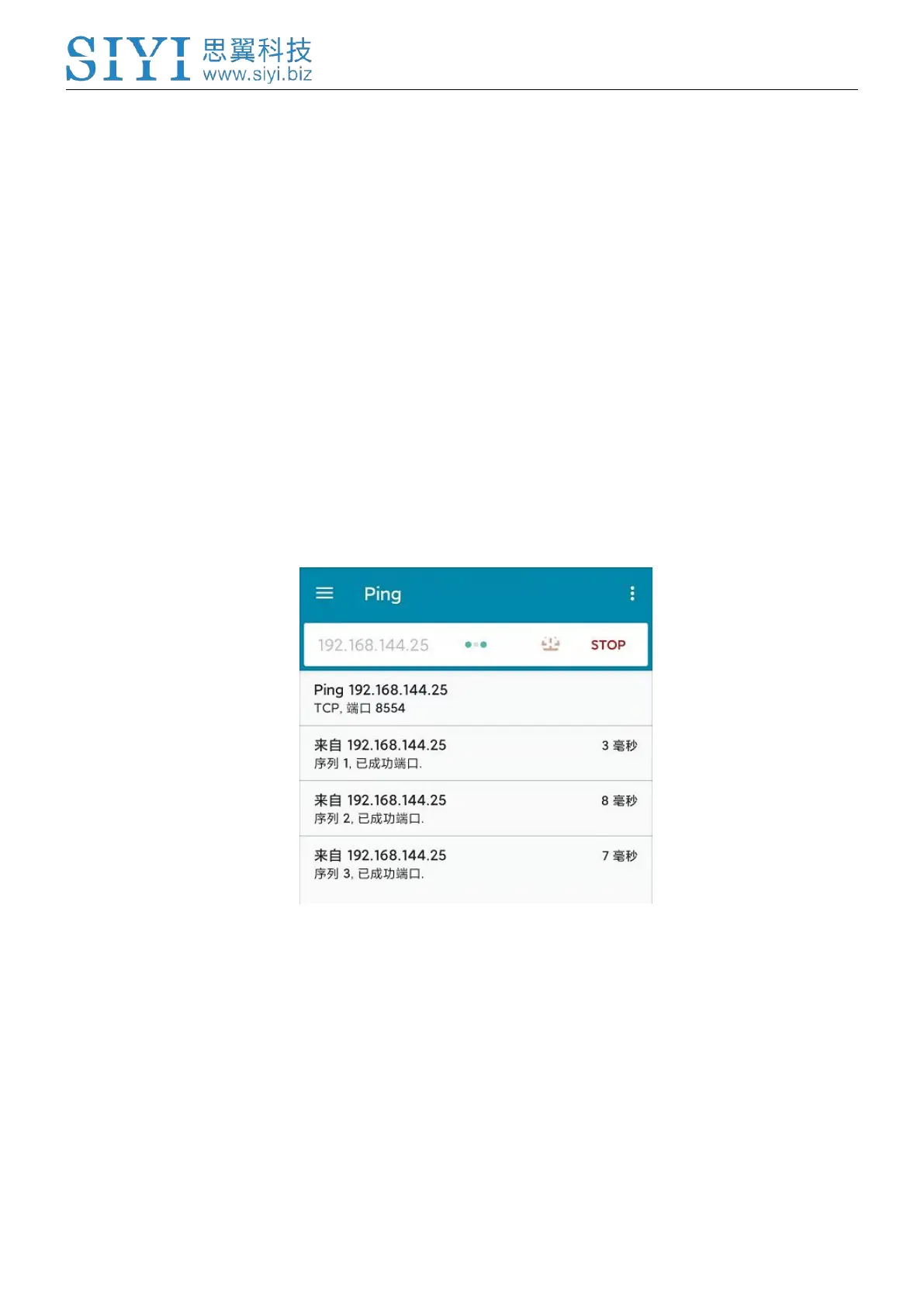
1. Input SIYI gimbal’s default IP addresses “192.168.144.25” in the “Ping Tools”
app and check if the network communication is successful. If the tool responds,
then check if the RTSP address in the application / software is correct.
Successful Network Communication


 To Next Page