6
Operating Instructions
Insert Micro SD Card
• The camera has a built-in memory of 64GB. To add an additional micro SD card,
remove the screw from the back door.
Note: Choose a branded micro SD card and format it into FAT32 before use. To ensure
data safety, only insert or remove your card when the camera is completely turned off.
Install or Detach Battery
• Remove the screw from the back door to open the camera.
• Place the battery in the correct position as indicated.
• Charging indicator details can be found in the product diagram.
• To detach the battery, repeat step A.
Charging
• Connect the camera to a computer using a USB cable for charging.
• Alternatively, use a wall charger or car charger.
• A30 can record footage while charging and allows charging while the camera is
on.
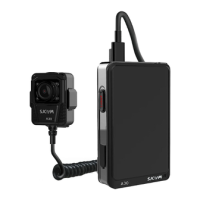
Connecting with Separating Lens
• Insert the separating lens into the designated interface on the camera and secure
it.
Power On/Off
• Press and hold the power button for 3 seconds to turn the camera on/off.
Video Recording/Photo Shooting Mode
• Power on the camera and slide left or right to choose the shooting mode.
• Select "Video Recording," and a corresponding icon will indicate the chosen
mode.
• Press the "Video" button or click the recording icon to start recording.
• Slide left or right to choose "Photo Shooting Mode" and press the "Photo" button
to take a single photo.
• Use the same method for "Burst Mode" to capture multiple successive
snapshots.
File Storage and Playback
• Transfer files from the camera to a computer using a Type-C cable or card reader.
• Switch on the camera and click the "playback" icon to review files.


 To Next Page