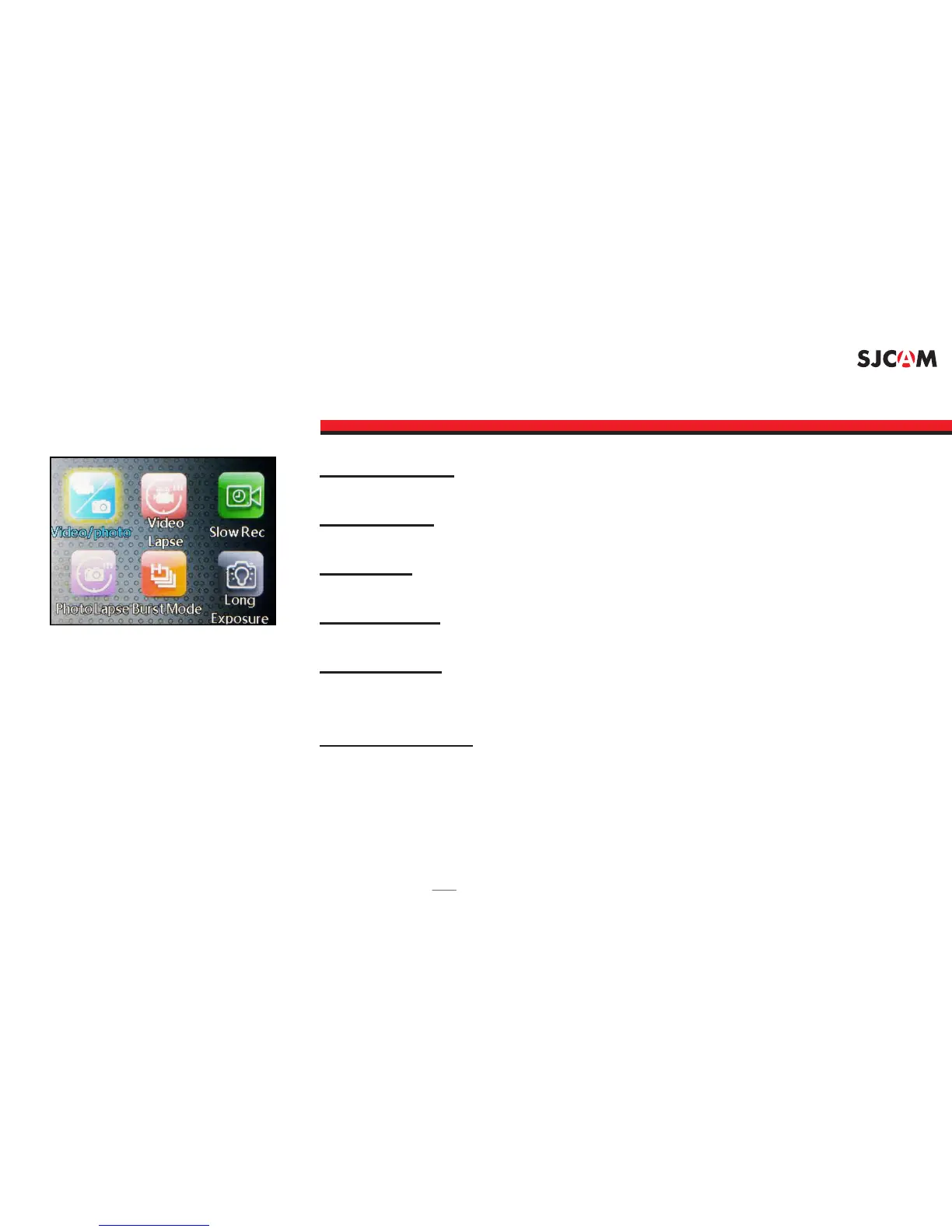
VIDEO/PHOTO: Mode to start taking videos or still photos.
For time-lapse recorded as a video. VIDEOLAPSE:
: For recording video in slow motion.SLOW REC
: Timelapse, with each frame its own picture le.PHOTOLAPSE
: Fast multiple succession of snapshots, choose BURST MODE
the number of photos desired (Max: 10 consecutive shots).
: Records a snapshot for long periods LONG EXPOSURE
to allow more light in through the lens.
ICONS MENU - Screen 1
Note: Screen arrangement and feature availability may vary depending on rmware version.



 To Next Page