43
Assembly
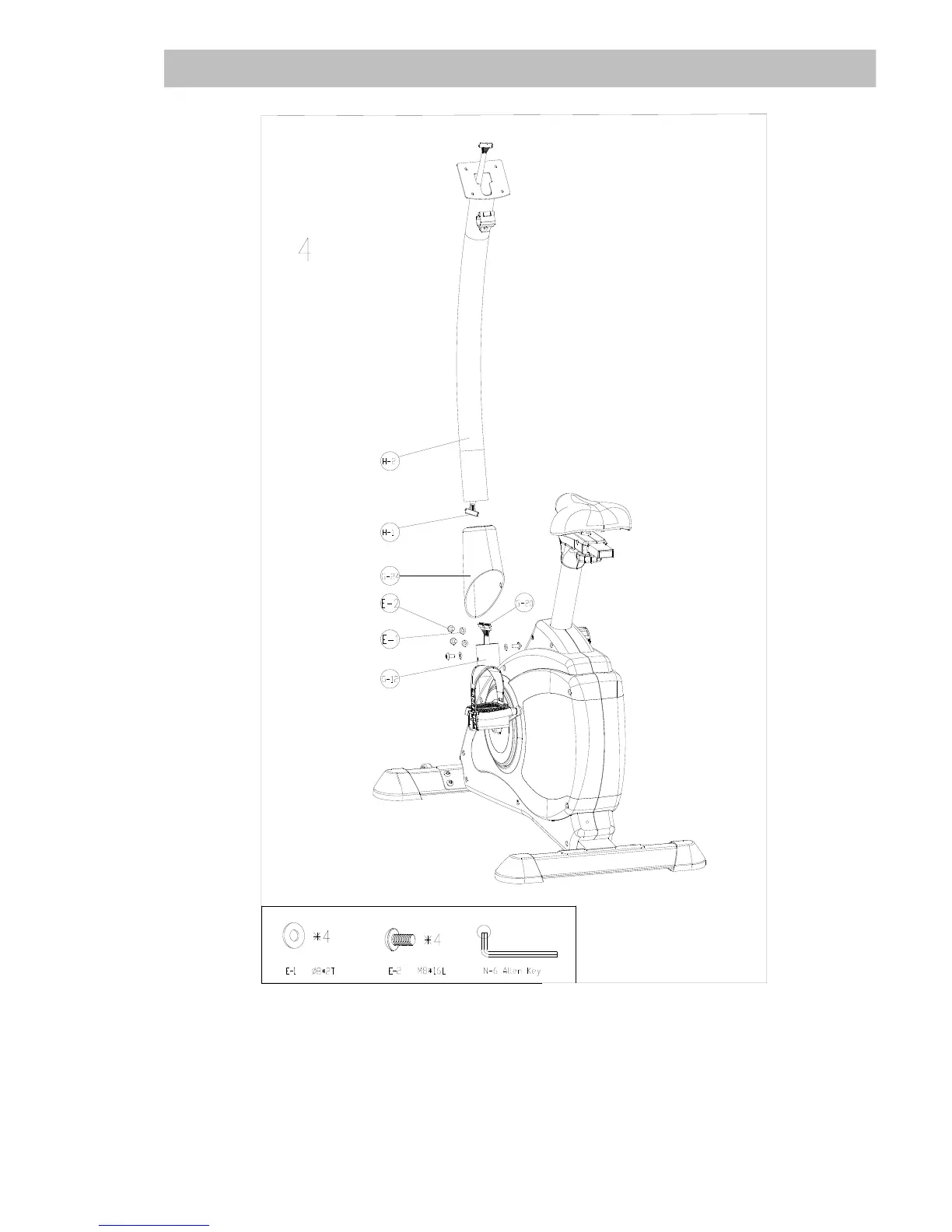
Step 4: Handlebars post and cables
Remove the pre-mounted handlebars post (H-2) by loosing the screws (E-1 / E-2). Slide the cover
for handlebars (G-24) onto the bottom side of handlebars post (H-2) and connect both ends of the
sensorcable (H-1 & G-20) between main frame and handlebars post. Put the handlebars post (H-2)
into the main frame [be careful not to squeeze any cables!] and fix it with 4 screws (E-2) and 4
washers (E-1) as shown.


 To Next Page