21
ROUTER TABLE OPERATION
Switch Box Operation
Two receptacles are located at the back of the integrated safety switch. Use one for plugging in
the router. The other may be used to plug in a vacuum or a light (not included).
WARNING
To ensure safety and reliability, when one receptacle is used for the
router, the capacity of the other receptacle is limited to 3 A. The total
current drawn by the two devices must not exceed 15 A.
WARNING
When the router is not being operated, do not energize other tools
(such as a vacuum or a light) by the router table switch box.
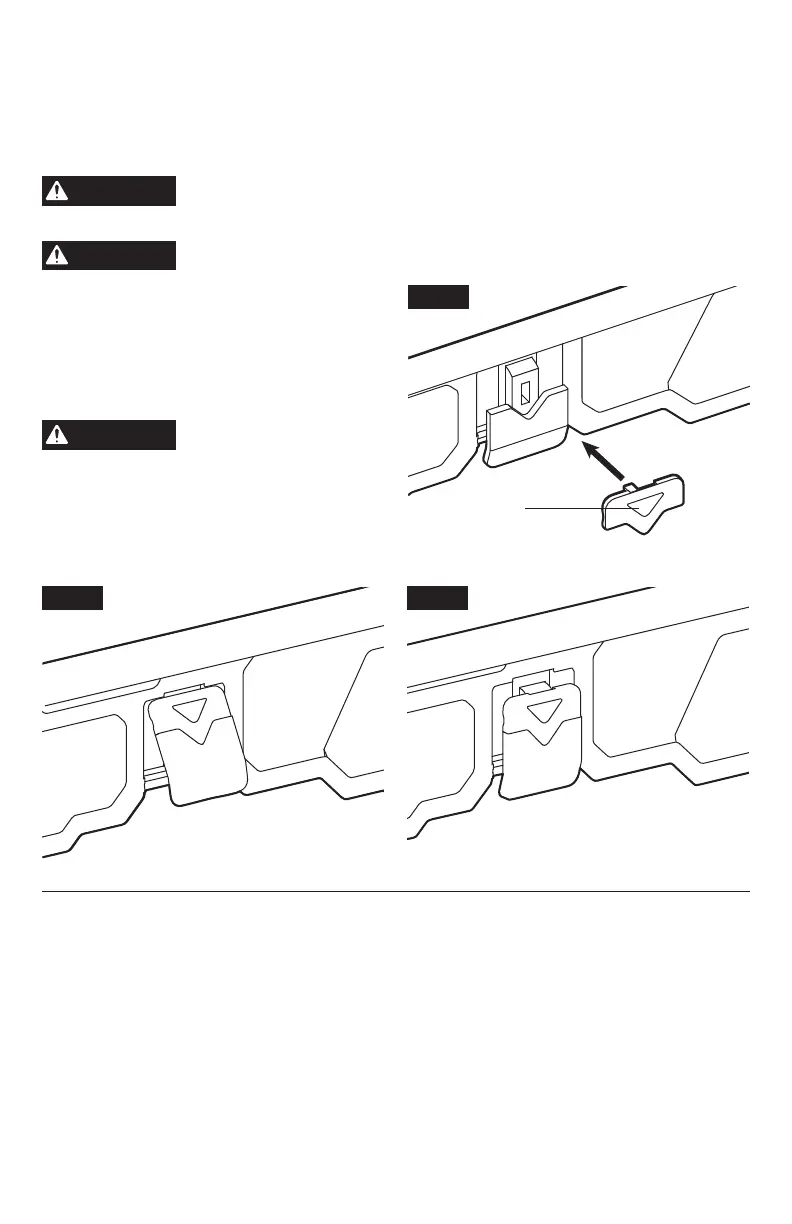
1. Insert the safety key into the integrated
safety switch (Fig. 12a).
2. To turn the switch ON, pull the integrated
safety switch up (Fig. 12b).
3. To turn the switch OFF, push the integrated
safety switch down (Fig. 12c).
WARNING
Never leave the router
unattended while it is
running or before it comes to a complete
stop.
4. To lock the integrated safety switch in the
OFF position, push the integrated safety
switch down to turn the tool OFF, then
remove the safety key from the switch.
Fig. 12b
ON
(UP)
Fig. 12c
OFF
(DOWN)
Fig. 12a
Safety key



 To Next Page