GERMANY
Adjusting the Inclination
35
Adjusting the Inclination
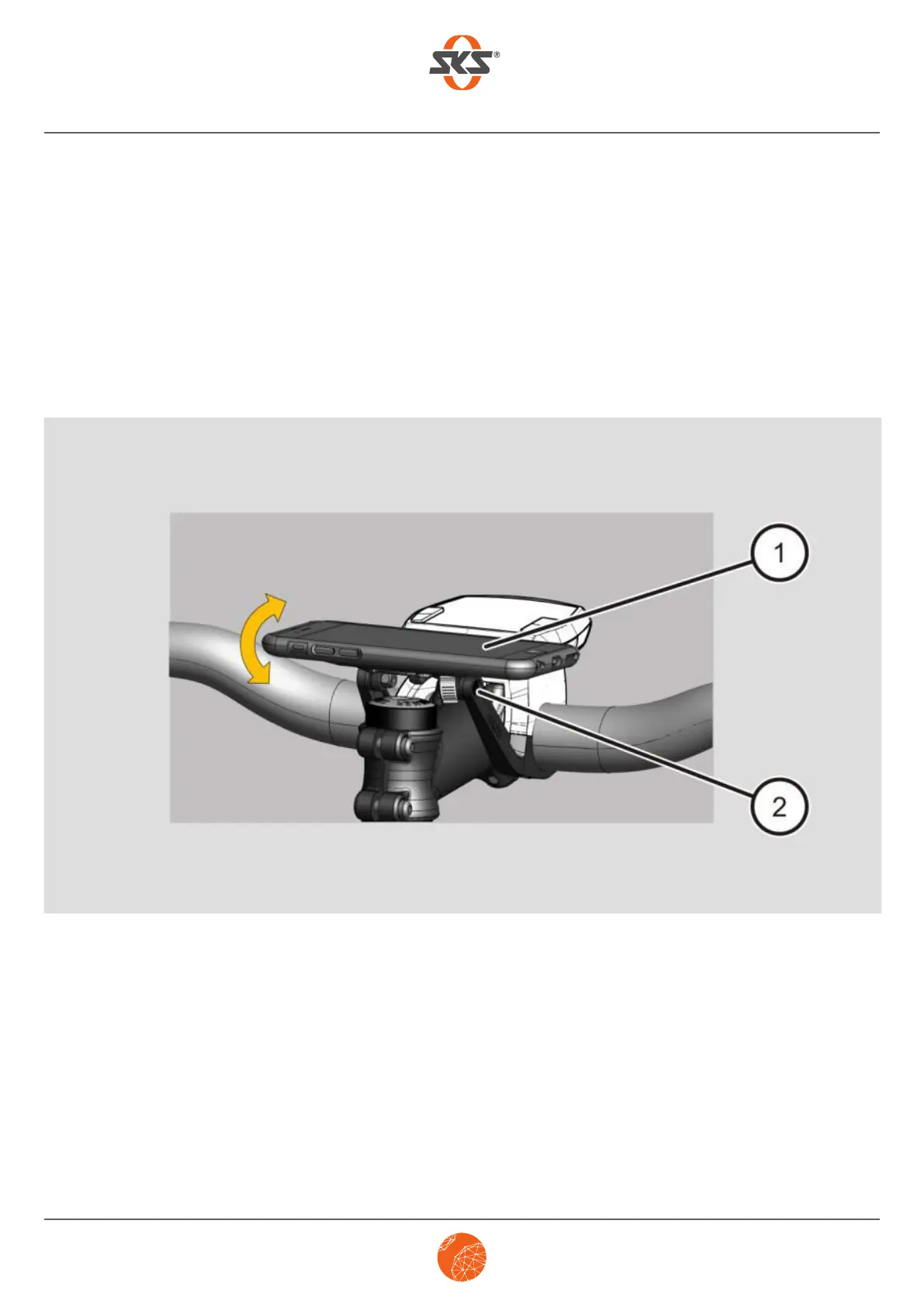
You can move your smartphone into the desired position by adjusting the tilt on the COMPIT/E
or COMPIT/E+. Proceed as follows to adjust the tilt:
➤ Press the smartphone (1) on the COMPIT/E or COMPIT/E+ downwards or upwards until you
have reached the desired position.
➤ To fix the desired tilt setting, tighten the levelling screw (2).



 To Next Page