5
PART I: Assembling Your Telescope
1.3 Tripod assembly
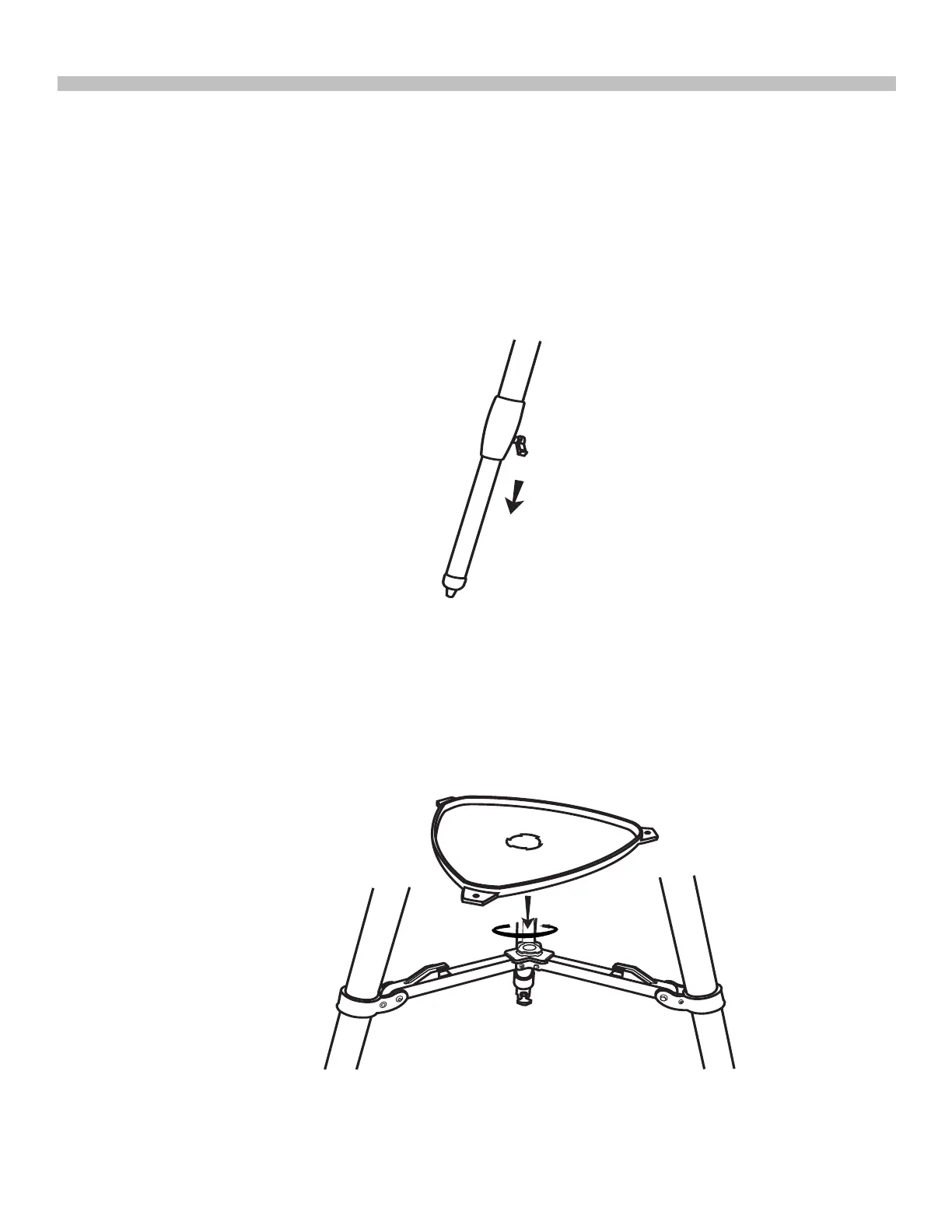
1. Adjusting tripod legs(Fig.1.3.1a)
• Slowly loosen the height adjustment clamp and gently pull out the lower section of each
tripod leg.Tighten the clamps to hold the legs in place.
• Spread the tripod legs apart to stand the tripod upright.
• Adjust the height of each tripod leg until the tripod head is properly leveled.Note that the
tripod legs may not be at same length when the mount is level.
Fig.1.3.1a
Fig.1.3.2a
2. Attaching the quick-release accessory tray (Fig.1.3.2a)
• Hold the accessory tray directly above the bracket.Rotate the tray until the shape of the
hole matches the locking mechanism in the center of the bracket.Place the tray on top of
bracket and rotate to lock the tray in place.











 To Next Page