5
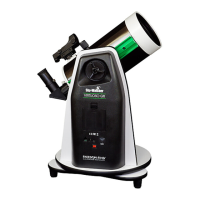
PART I: Setting up the SolarQuest Mount
1.2 Attaching the SolarQuest to a Camera Tripod
1. Fully expand the three legs of the tripod on leveled ground. Make sure that the tripod is
stable.
2. Raise the camera tripod’s central pole to the height which prevents the solar telescope
from hitting the tripod legs when the telesocpe points to zenith.
3. Screw the SolarQuest mount to the 3/8” bolt on the tripod head’s mounting plate, tighten
SLIGHTLY.
Caution: Over-tightening the mount may cause damage to the internal mechanical parts.
4. Most camera tripods’ mounting plate comes with 1 to 3 locking screws, rmly tighten the
locking screws from underneath the plate to x the SolarQuest mount onto the mounting
plate.
5. Adjust the lengths of the legs to center the bubble level on the mount.
1. Press the power button until the red LED light is on.
2. The solar telescope will be moved to horizontal position automatically in several seconds.
3. Slide the 8-way switch to one direction and then press the power button, the SolarQuest
will slew quickly.
4. Slide the 8-way switch alone to one direction to move the SolarQuest slowly for ne cen-
tering the Sun in the eld of view of an eyepiece.
5. To turn o the power, press and hold the power button for several seconds until the red
LED light is o.
Warning: Always adjust the SolarQuest mount with the internal motor drive and
the 8-way switch. Forcing the SolarQuest to rotate manually might cause dam-
ages to the internal mechanical parts.
1.4 Test Run
1. Open the battery compartment cover and pull out the battery holder.
2. Make sure the battery cable connects to the holder before inserting batteries to the slots.
3. Insert 8 “AA“ size batteries to the battery holder. Refer to the battery marks of each slot
while inserting the batteries.
4. Place the battery holder back to the compartment gently and closer the cover.
Note: For the safety of your equipment , remove the batteries from SolarQuest if it will not be used
for a long time.
1.3 Installing Batteries




 To Next Page
