12
PART III : ALIGNMENT
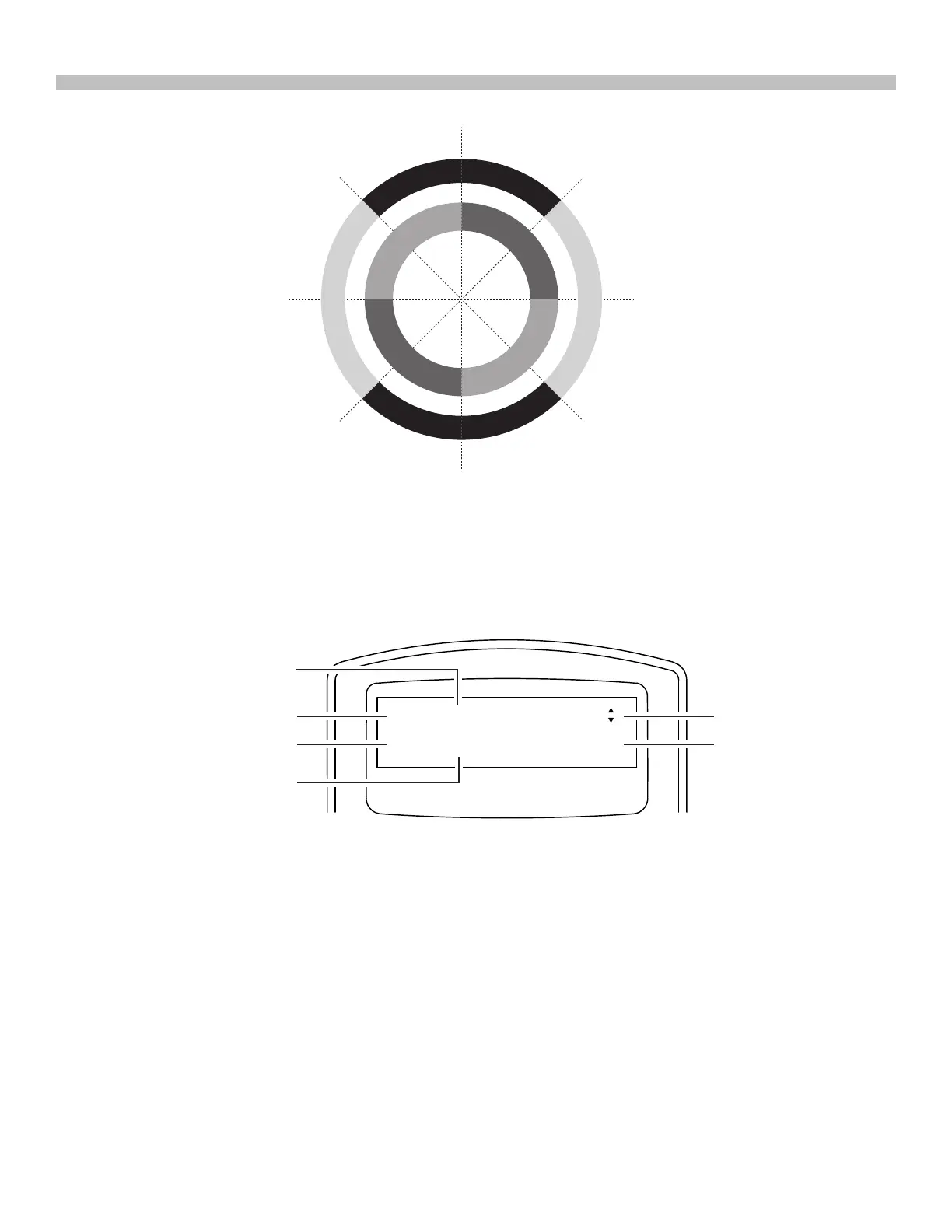
3. The hand controller will generate a list of the bright stars within the selected horizontal re-
gion. The list is sorted by the brightness of the star and with the brightest stars at the top of
the list. Users can use the scroll keys to browse the list. An example of the screen display
is shown in Fig. 3.4b.
• Only stars brighter than magnitude 1.5 will appear in the list. If there is no star brighter
than magnitude 1.5 in the selected region, the hand controller will display “No object
found in this region.”
• If multiple bright stars appear in the list, users can identify the names of the stars in
the real sky by matching the azimuth, altitude and magnitude provided by the SynScan
hand controller.
• Pick one of the star(s) (Generally the brightest one) as the 1
st
alignment star and press
ENTER key to proceed to the next step. Press the ESC key to return to the previous step
(“Select Region”).
Fig. 3.4a
Fig. 3.4b
N
O
R
T
H
E
A
S
T
S
K
Y
S
O
U
T
H
E
A
S
T
S
K
Y
S
O
U
T
H
W
E
S
T
S
K
Y
N
O
R
T
H
W
E
S
T
S
K
Y
N
O
R
T
H
E
R
N
S
K
Y
E
A
S
T
E
R
N
S
K
Y
S
O
U
T
H
E
R
N
S
K
Y
W
E
S
T
E
R
N
S
K
Y
N (0˚)
E (90˚)
S (180˚)
(225˚)
W (270˚)
(315˚)
(135˚)
(45˚)
1. Capella
NE 35.3
0.1
15.7
Magnitude
Altitude Angle
Star Name
Azimuth Angle
Orientation
Brightness Order











 To Next Page