Part III: Control Interfaces
3.1 Control Panel
10
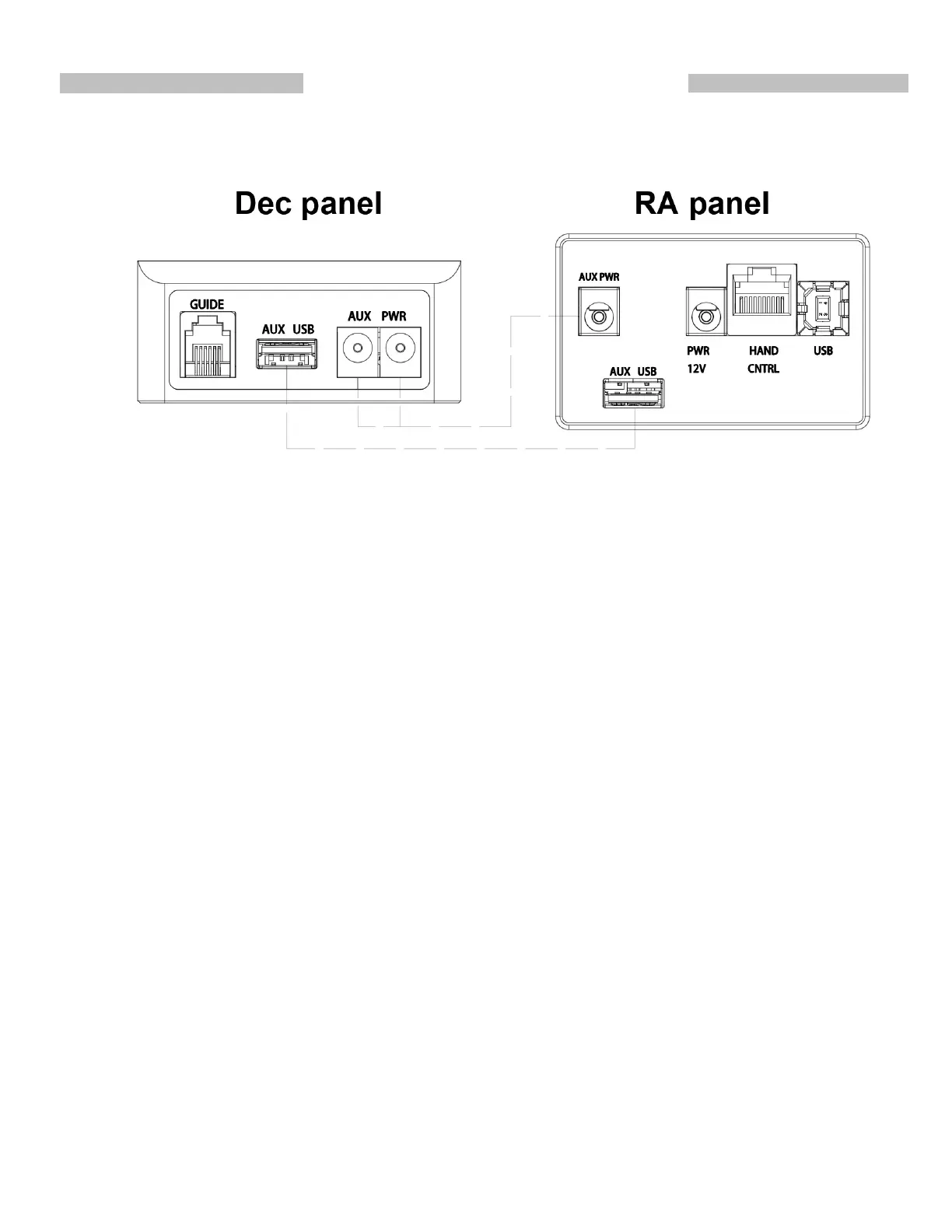
Connectors to operate the Wave 150i mount:
PWR 12V: Power supply Input.
USB: Communication port to connect to a computer or an Android device.
HAND CNTRL: Communication port to connect to a SynScan controller or other devices.
AUX PWR: Auxiliary power connectors, 2.5mm I.D., 5.5mm O.D., maximum DC 5A.
AUX USB: USB connectors for connecting devices on the telescope to a host.
GUIDE: ST-4 autoguider port.
AUX USB: USB connectors for connecting devices on the telescope to a host.
Power Switch: Turn power On/Off, with the light indicating the following status:
1. Single flashing with short On time: Wireless module is ready for connection.
2. Double flashing: Wireless connection established.
3. Steady On: Wireless module is turned off due to long idle.
4. Single slow flashing with equal On/Off time: Power voltage is low.
5. Single quick flashing: Power voltage is extremely low, stop using the mount immediately.
6. Triple flashing: Firmware update is not finished.
Fig14











 To Next Page