5
PART I: Installation of the WAVE150i Mount
)LJ4
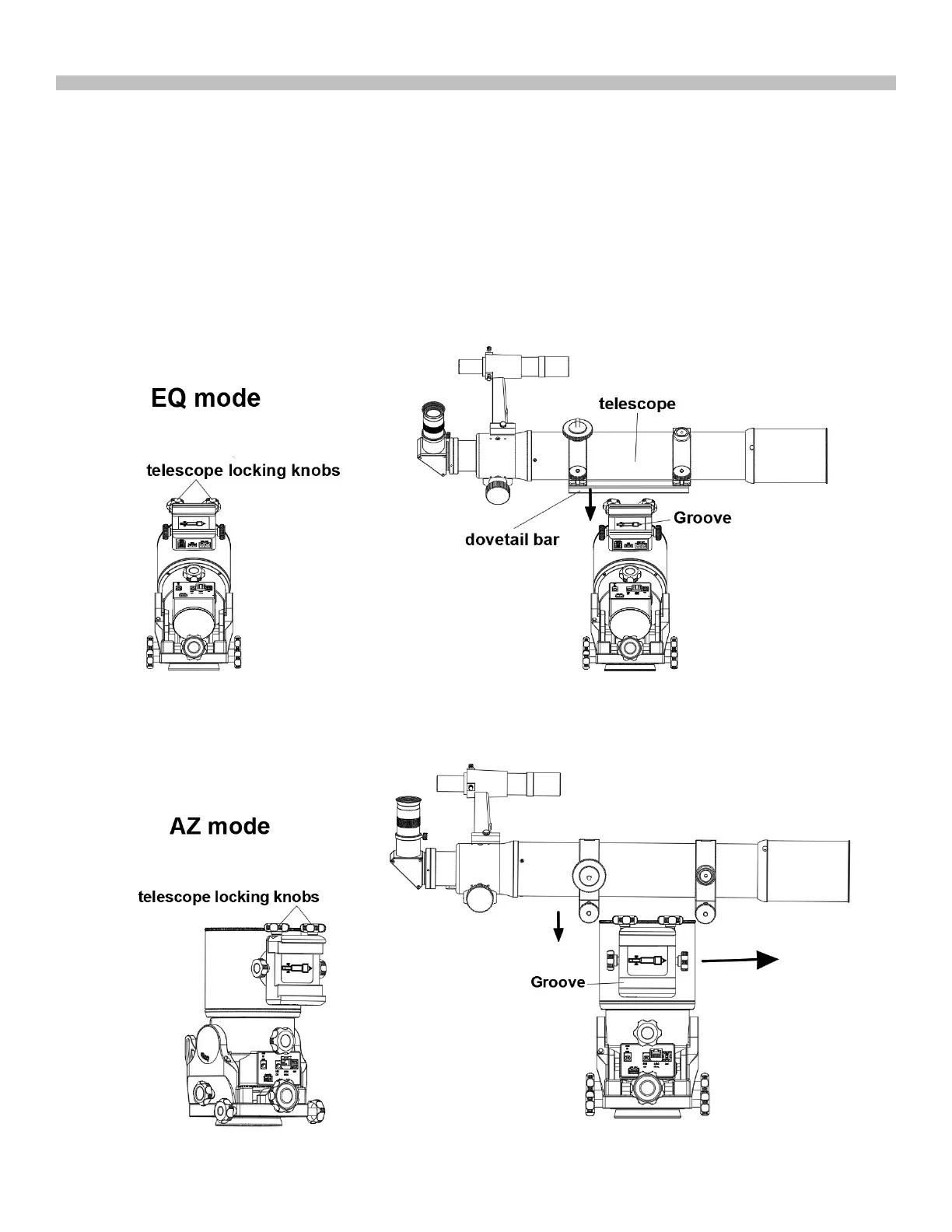
1.3 Install the Telescope
)LJ4a
)LJ4b
1. Turn on the power and connect the mount with the SynScan Pro App or hand controller
2. Use the direction buttons to slew the declination axis and level the saddle with the telescope locking knobs on
the upper side. (Fig4 and Fig5)
3. Loosen the two telescope locking knobs on the saddle alternately until the width of saddle is slightly wider than
the width of the dovetail bar on the telescope.
4. Seat or slide the dovetail bar into the saddle with the telescope pointing to the right. Tighten the two locking
knobs alternately to secure the dovetail bar firmly. (Fig4 and Fig5)
Warning: Keep supporting the telescope until you are sure that it has been firmly locked in the saddle.
)LJ
5
)LJ5a
)LJ5b











 To Next Page