4
PART I: Installation
1.1 Setup Tripod and Wave 150i
The WAVE 150i mount can be installed on multiple tripods and extension stands, please refer to the instruction
manual in you tripod kits for details.
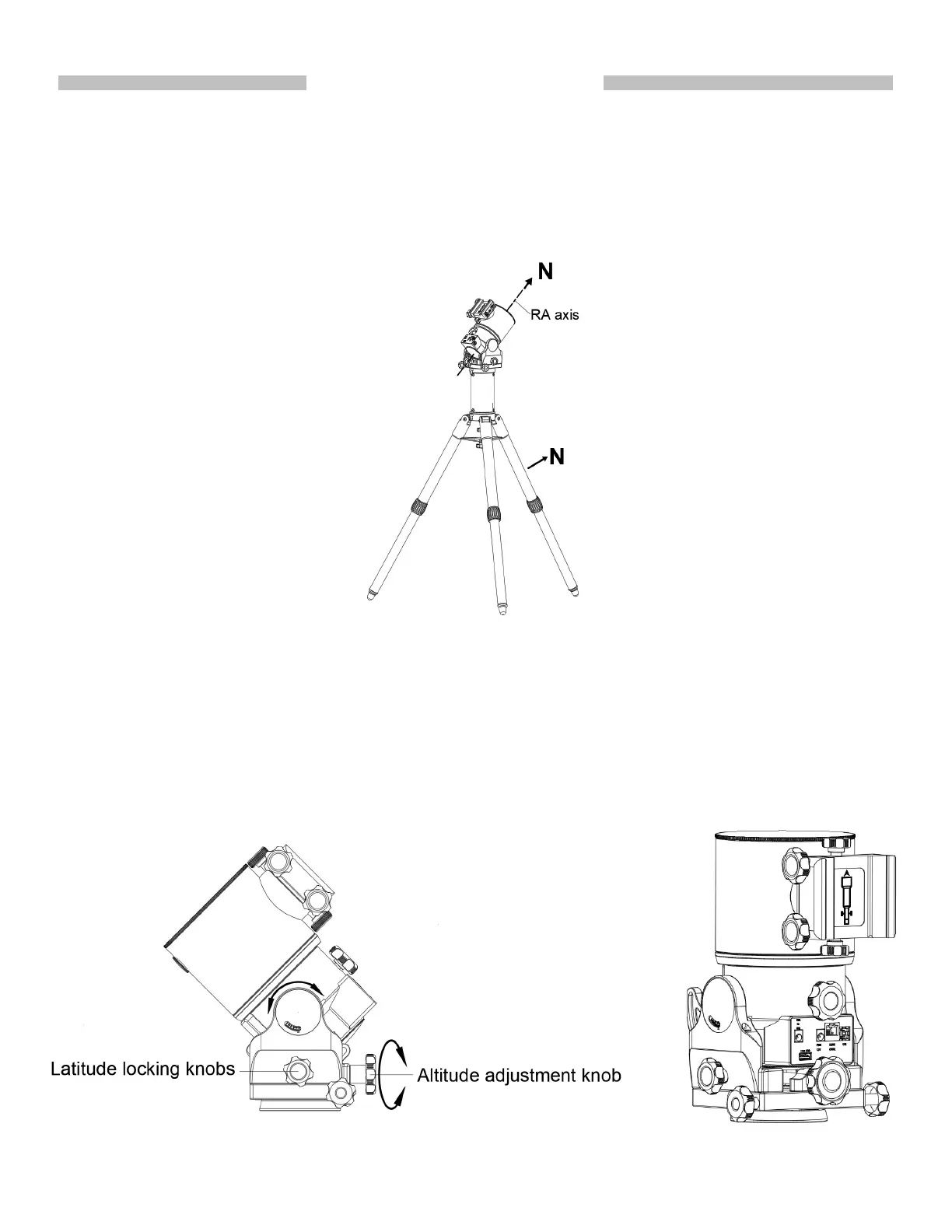
If the mount is going to be setup in the equatorial mode, make sure one of the tripod legs orient to the polar
direction (N). While attaching the mount to the tripod, please align the R.A. axis to the the north (or south, when
observing in the southern hemisphere) orienting tripod leg.
)LJ
1.2 Tilt Declination Axis
1.For equatorial (EQ) mode, loosen slightly the two Latitude locking knobs and turn the Latitude adjustment knob
until the arrow on the latitude scale of the mount matches the latitude of your observing site. Lock the two Latitude
locking knobs. See Fig.2.
2.For Alt-Azimuth (AZ) mode, turn the Altitude adjustment knob counterclockwise until it stops, and then lock
Latitude locking knobs. leave the mount in upright position as shown in Fig.3
)LJ3
)LJ
2











 To Next Page