- 13 -- 12 -
6. JEWELRY Mode Test
7. PINPOINT Mode Test
Sweep the search coil about 2.75-3.93 inches above the six samples.
c)
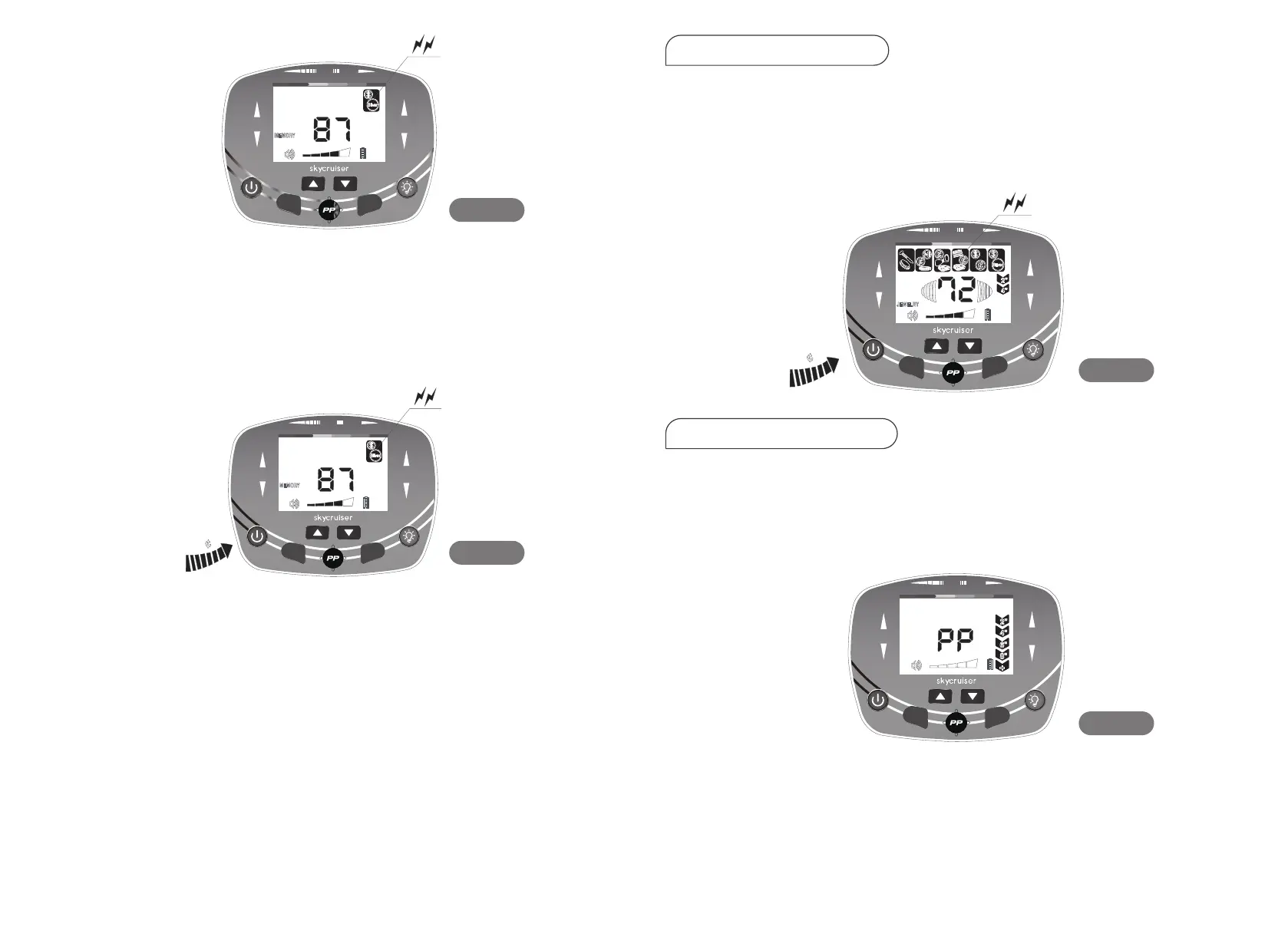
Take detecting the 50¢silver coin as an example. (See Fig.13)
When sweeping the 50¢ silver coin, if the detector responds, it indicates
that the detector has memorized the setting for detecting a 50¢silver coin.
Then the detector will not respond when it sweeps other five samples.
d)
If you want to detect other metals, press the MODE button again. Then the
MEMORY icon will light up, and it displays the same as Fig. 11. Then go on
repeating the above operation.
e)
To exit the MEMORY mode, press the MODE button, making the detector
return to the state of Fig. 11. Then press the MODE button again to exit the
MEMORY mode, and enter the next operation mode.
Press the MODE button again, the JEWELRY icon lights up. The first target
metal on the left is eliminated, showing that the iron is removed. The detector
only responds to other metals.
Take detecting the 1¢ zinc coin as an example (See Fig. 14).
f)
Press the P-P key, and the P-P icon lights up and flashes. The detector com-
pletes the ground balance, and the P-P icon stops flashing. The target ID
cursor and double digits are extinguished, the depth indicator is in the full
grid, and the detector sounds a single-frequency tone (See Fig. 15).
a)
COIN
DEPTH
MODE
FERROUS
NON - FERROUS
GOLD S ILV ER
40 50 60 70 80 90
SE N S
MO D E
Fig. 12
Fig. 13
Fig. 14
Fig. 15
25
COIN
DEPTH
MODE
FERROUS
NON - FERROUS
GOLD SI LVE R
40 50 60 70 80 90
SE N S
MO D E
1
COIN
DEPTH
MODE
FERROUS
NON - FERROUS
GOLD SILV ER
40 50 60 70 80 90
SE N S
MO D E
COIN
DEPT
FERROUS
NON - FERROUS
GOLD S I LVE R
40
MODE
50 60 70 80 90
SE N S
MO D E


 To Next Page