Installation (Only applicable to SA-001S)
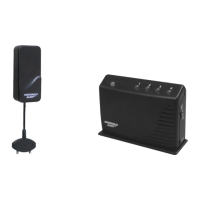
The Wireless External Alarm model SA-001S built-in with a Solar Panel, this solar panel is
mounted on the top of the housing to maintain a charge to the rechargeable batteries during the
daylight interval. During darkness, an insignificant amount of energy is released from the
rechargeable battery to operate the Wireless External Alarm.
The Wireless External Alarm should be installed to the outside of your house or building in a
position to gather as much sunlight as possible. Avoid any shadows cast by walls, trees and
roof overhangs to the Wireless External Alarm. Ideally to install the Wireless External Alarm
facing due south optimize for solar exposure.
Photo to show a house and SA-001S point to
south orientation.
BATTERY
When the battery power is being reduced, the Wireless External Alarm will beep every 30
seconds, it is time to replace the battery.
The Wireless External Alarm is powered by 3 AA Alkaline batteries as the backup purpose.
Follow the instructions below to replace the batteries;
1. Remove the cover of the Wireless External Alarm as shown.
2. Remove the old battery. Insert 3 new AA Alkaline batteries to the battery compartment.
Beware of the battery polarity.
3. Install the cover. The red LED on the front of the unit will be on for 1 second and the
LCD will turn on.



 To Next Page