Need help?
Do you have a question about the SkyLink DIAL-ALERT AD-433S and is the answer not in the manual?
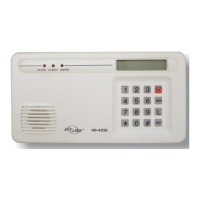
Explains how the AD-433S Dial-Alert automatically calls for help in emergencies.
Provides step-by-step instructions for physically installing the AD-433S Dial-Alert.
Details the Tone/Pulse and Speaker On/Off settings for the dialer's operation.
Explains the meaning of the various LED lights on the Dial-Alert unit.
Describes the sounds produced by the Dial-Alert for status and alerts.
Instructions for programming the current time on the Dial-Alert.
Guide to recording a personalized emergency voice message.
Steps to program emergency phone numbers into the dialer's memory.
Configures the length of time the dialer will attempt to connect a call.
Allows insertion of timed delays for specific dialing sequences or pagers.
Procedure to program external sensors/transmitters to activate the dialer.
Enables or disables the dialer's response to activated sensors.
Sets a temporary delay for sensor activation to allow entry/exit without immediate dialing.
Configures the dialer to adapt to different phone line dial tones.
Determines the order and repetition of dialing programmed phone numbers.
Instructions for connecting the dialer to an alarm system via wired contacts.
Explains using the Alarm Sensor (SS-433) for wireless activation of the dialer.
Step-by-step guide for replacing the 9-volt backup battery in the Dial-Alert.
Overview of the SC-001 control panel and its features.
Details the silent alarm unit that alerts occupants, including the hearing impaired.
Describes the vibration sensor for detecting physical disturbances.
Explains the water-resistant panic button for activating the system.
Details the functions of the external keypad for system control.
 General
| Power Source | AC adapter |
|---|---|
| Wireless Frequency | 433 MHz |
| Phone Line Connection | Yes |
| Operating Range | Up to 100 feet |
| Number of Zones | 4 |
| Dimensions | 6.5 x 4.5 x 1.5 inches |
| Zones | 4 |
| Backup Battery | 9V Alkaline |
| Battery Backup | 9V Alkaline |

 To Next Page