EasyManua.ls Logo

SkyLink SA-001S - User Manual

SkyLink SA-001S
20 pages
Print Icon
To Next Page IconTo Next Page
Loading...
Model: SA-001S Users Instructions
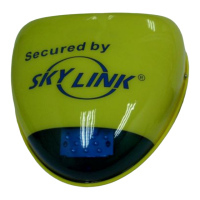
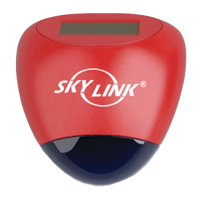
Wireless External Alarm

Questions and Answers

  • A
    Amanda SmithJul 27, 2025
    Why can't I arm my SkyLink SA-001S?
    • G
      Grant WolfJul 27, 2025
      Your SkyLink Security System might not arm if none of the sensors are triggered. Ensure all sensors are in the correct status; for example, door/window sensors should be closed.
  • M
    mullenbrandiAug 4, 2025
    What to do if the SkyLink SA-001S Wireless External Alarm isn’t beeping but the lights are flashing?
    • D
      davidjensenAug 4, 2025
      If the lights on your Wireless External Alarm are flashing but there's no beeping, the Alert Notification Jumper might be set to 'Disable'. Resetting this jumper to 'Enable' should activate the beeping sound.
  • A
    Amanda JohnsonAug 11, 2025
    How to erase a sensor or remote from SkyLink SA-001S Wireless External Alarm?
    • R
      ralph17Aug 11, 2025
      You cannot erase only one sensor or remote from the Wireless External Alarm unit. You must erase all sensors or remotes and then reprogram the ones you want to keep.
  • X
    xramirezAug 18, 2025
    Will the SkyLink SA-001S Wireless External Alarm work without backup batteries?
    • K
      Kristen ChambersAug 18, 2025
      The Wireless External Alarm will function properly with AC power (model SA-001A), even if backup batteries are not installed.

Summary

Introduction to Wireless External Alarm

Installation of Skylink Wireless External Alarm

Setting the Compatibility Jumper

Guides setting the jumper connector (J2) for compatibility with different Skylink systems or sensors.

Programming the Wireless External Alarm

Learning Remotes, Sensors, or Control Panels

Procedure for programming remotes, sensors, or control panels to the Wireless External Alarm.

Erasing Devices from the Alarm

Instructions to remove all learned devices (remotes, sensors, panels) from the Wireless External Alarm.

Customizing Alarm Sound Duration

How to customize the alarm sound period from 30 seconds to 10 minutes.

Understanding Arming Sequences

Details on arming the system in Home and Away modes using programmed remotes.

Operating Skylink Security Control Panels

Learning Control Panel AM-001 or ML-001

Steps to program AM-001 or ML-001 control panels to the alarm unit.

Learning Control Panel SC-001

Steps to program SC-001 control panels to the alarm unit.

Connecting to Your Existing Alarm System

Connecting to INPUT1 for Delayed Trigger

Connecting to INPUT1 for a delay trigger when the alarm is armed.

Connecting to INPUT2 for Instant Alarm

Connecting to INPUT2 for an instant alarm trigger.

Alert Notification Jumper Settings

Enabling or Disabling Audible Alerts

Configuration options for the Alert Notification Jumper (J1) to enable or disable audible alerts.

Battery Management

Tamper Protection Features

Solar Power Installation Guidelines

Routine Maintenance Procedures

Troubleshooting Common Issues

FCC Compliance Information

IC Compliance Information

CE Declaration of Conformity

Product Warranty Details

Customer Service and Support

SkyLink SA-001S Specifications

General IconGeneral
BrandSkyLink
ModelSA-001S
CategorySecurity System
LanguageEnglish

Related product manuals