16
ASP(Audio
ASP(Audio
ASP(Audio
ASP(AudioSignal
S ignal
Signal
SignalProcessing)
P rocessing)
Processing)
Processing)Config
C onfig
Config
Configuration
u ration
uration
urationMenu
M enu
Menu
Menu
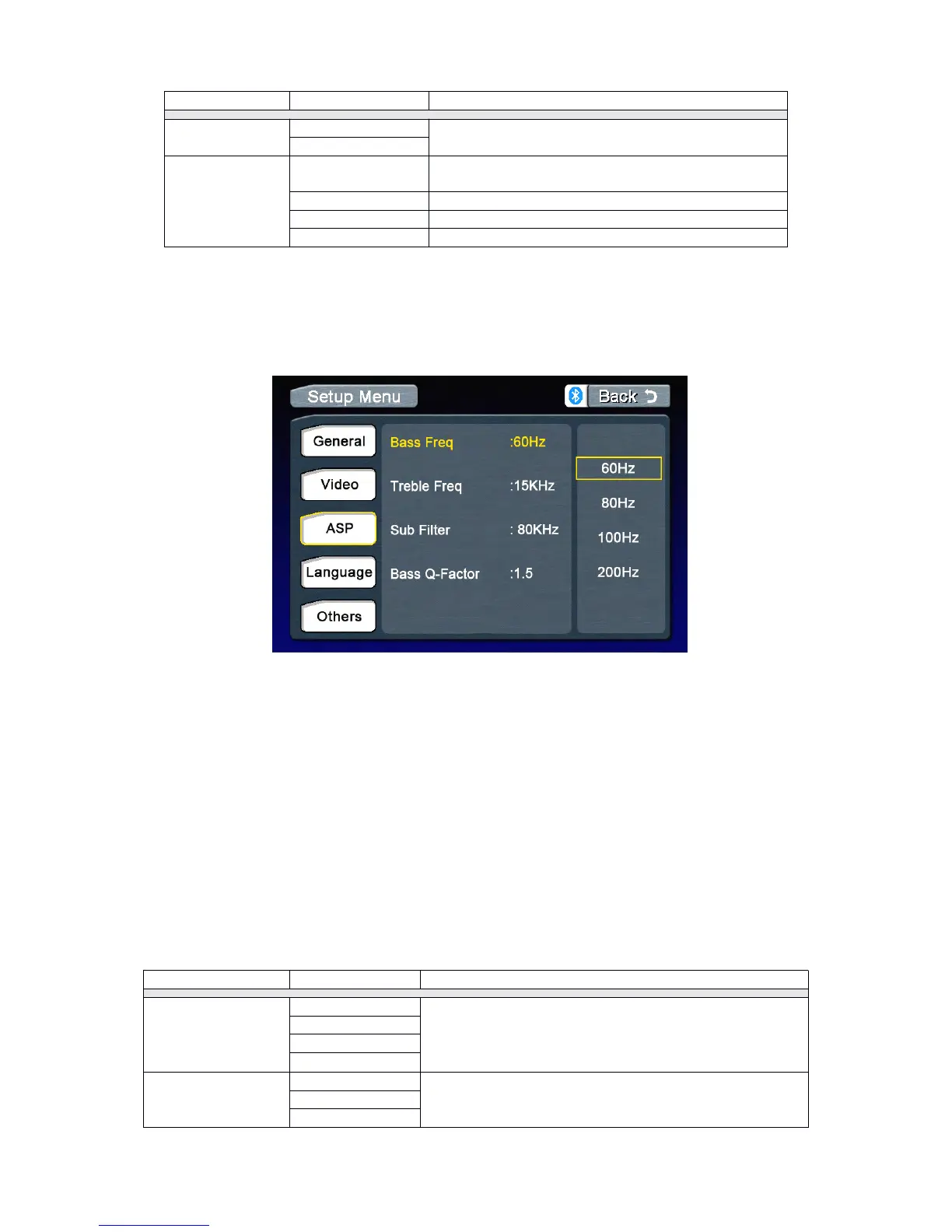
TheASPConfigurationmenuallowsyoutomakefineaudioadjustment.
Accessing
Accessing
Accessing
Accessingthe
t he
the
theASP
A SP
ASP
ASPConfig
C onfig
Config
Configuration
u ration
uration
urationMenu
M enu
Menu
Menu
PresstheMENU
MENU
MENU
MENUonthefrontpanelorpressthe(MENU)
M ENU)
MENU)
MENU)buttonontheremotecontrolto
accessMAIN
MAIN
MAIN
MAINmenu.
.
.
.
Selecting
Selecting
Selecting
Selectinga
a
a
aFeature
F eature
Feature
Featurefor
f or
for
forAdjustment
A djustment
Adjustment
Adjustment
Pressthedirectionbuttonsontheremotecontrolortouchtheoptiondirectlyonthescreento
selectafeaturetobeadjusted.
Adjusting
Adjusting
Adjusting
Adjustinga
a
a
aFeature
F eature
Feature
Feature
1.Entertheoptionfieldforthefeatureyouwanttoadjustbypressingthe(OK)
O K)
OK)
OK)buttononthe
remoteorbypressingtheSMART
SMART
SMART
SMARTDIAL
D IAL
DIAL
DIAL.Asubmenuappearsinasecondrowwiththeselected
option.
2.Selectanewvaluebypressingthedirectionbutton.
3.Confirmyourselectionbypressing(OK)
O K)
OK)
OK)buttonontheremotecontrolorpressingtheSMART
S MART
SMART
SMART
DIAL
DIAL
DIAL
DIALonthefrontpanel.Thenewsetupiscomplete.
Return
Return
Return
Returnto
t o
to
tonormal
n ormal
normal
normalplayback
p layback
playback
playback
Thesystemwillautomaticallyreturnthepreviousplaybackmodethatitwasinbeforeaccessing
thesetupmenu20secondsafterthelastoperation.
Dependingontheaudiosource,selecttheBass
CenterFrequencytoachievethebestBasseffect.
Dependingontheaudiosource,selecttheTreble
CenterFrequencytoachievethebestTrebleeffect.



 To Next Page