Before
Before
Before
Beforeusing
u sing
using
usingthe
t he
the
theBluetooth
B luetooth
Bluetooth
Bluetooth
BeforeusingtheBluetooth,it’snecessarytoperformthefollowingsteps.Formoreoperating
details,refertoeachsectionbelow.
1.Selectthe“Bluetooth”optionintheGeneralsetupandselectthe“On”optiontoactivatethe
Bluetoothfeature.
2.Pairyourmobilephonetothisunit(refertothe“Pairing”operation).
It
is
necessarytopairyour
phonetotheunit.Withoutpairing,Bluetooth
is
notavailable.
The
The
The
TheBluetooth
B luetooth
Bluetooth
BluetoothIndicator
I ndicator
Indicator
Indicator
ThereisaBluetoothindicatoratthetopofthetouchscreen.
WhentheBluetoothfunctionis“Off”,theindicatorisgrey.
WhentheBluetoothfunctionis“On”andnophoneisconnectedtotheunit,theindicatorwillblink.
Ifaphonehasbeenconnectedtotheunit,theindicatorisonsolid.
Accessing
Accessing
Accessing
AccessingBluetooth
B luetooth
Bluetooth
BluetoothMode
M ode
Mode
Mode
Touchthebutton
at
thetopofthetouchscreentoaccessBluetoothmodedirectly.
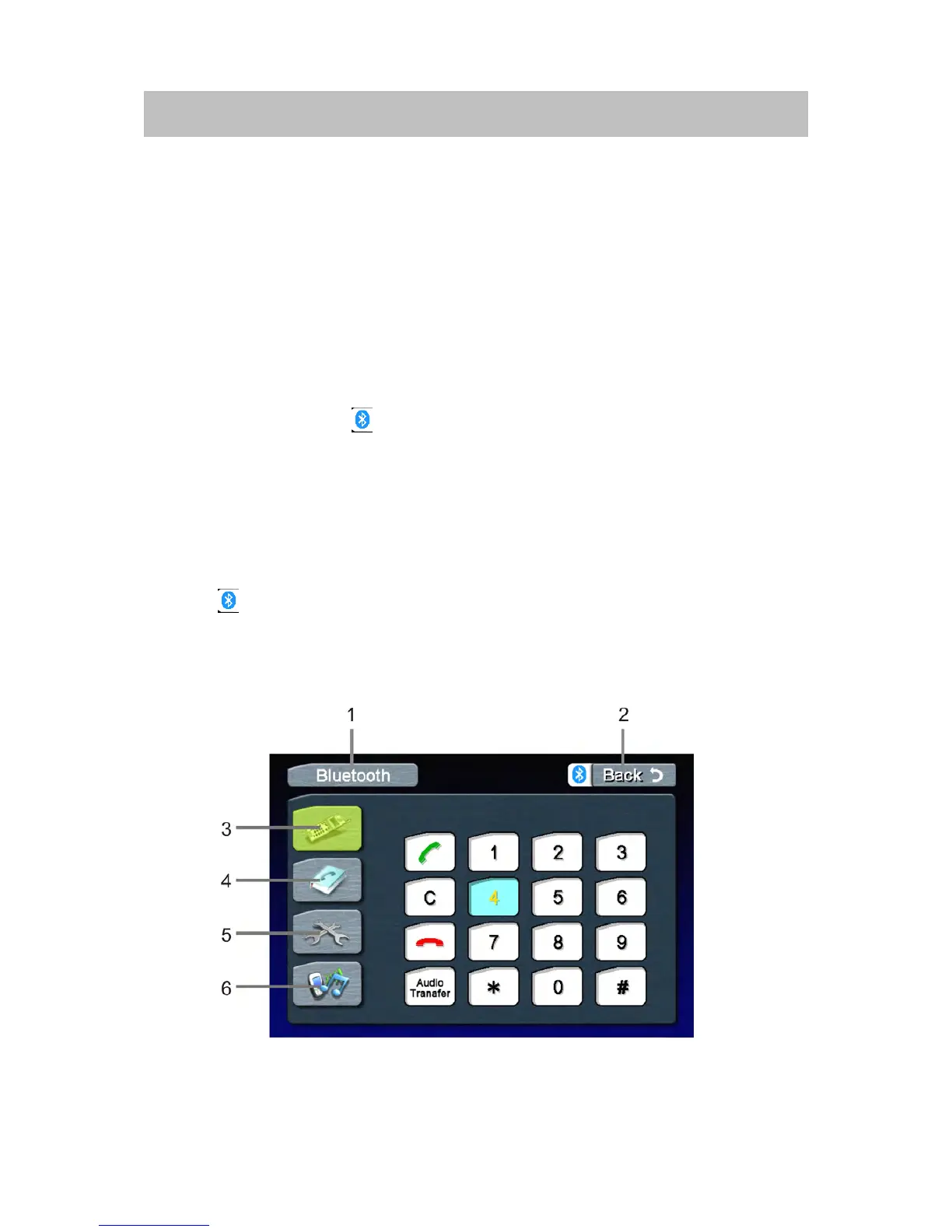
Bluetooth
Bluetooth
Bluetooth
BluetoothUser
U ser
User
UserInterface
I nterface
Interface
Interface
Dial
Dial
Dial
DialInterface
I nterface
Interface
Interface



 To Next Page