Tuner
Tuner
Tuner
TunerTFT
T FT
TFT
TFTDisplay
D isplay
Display
Display
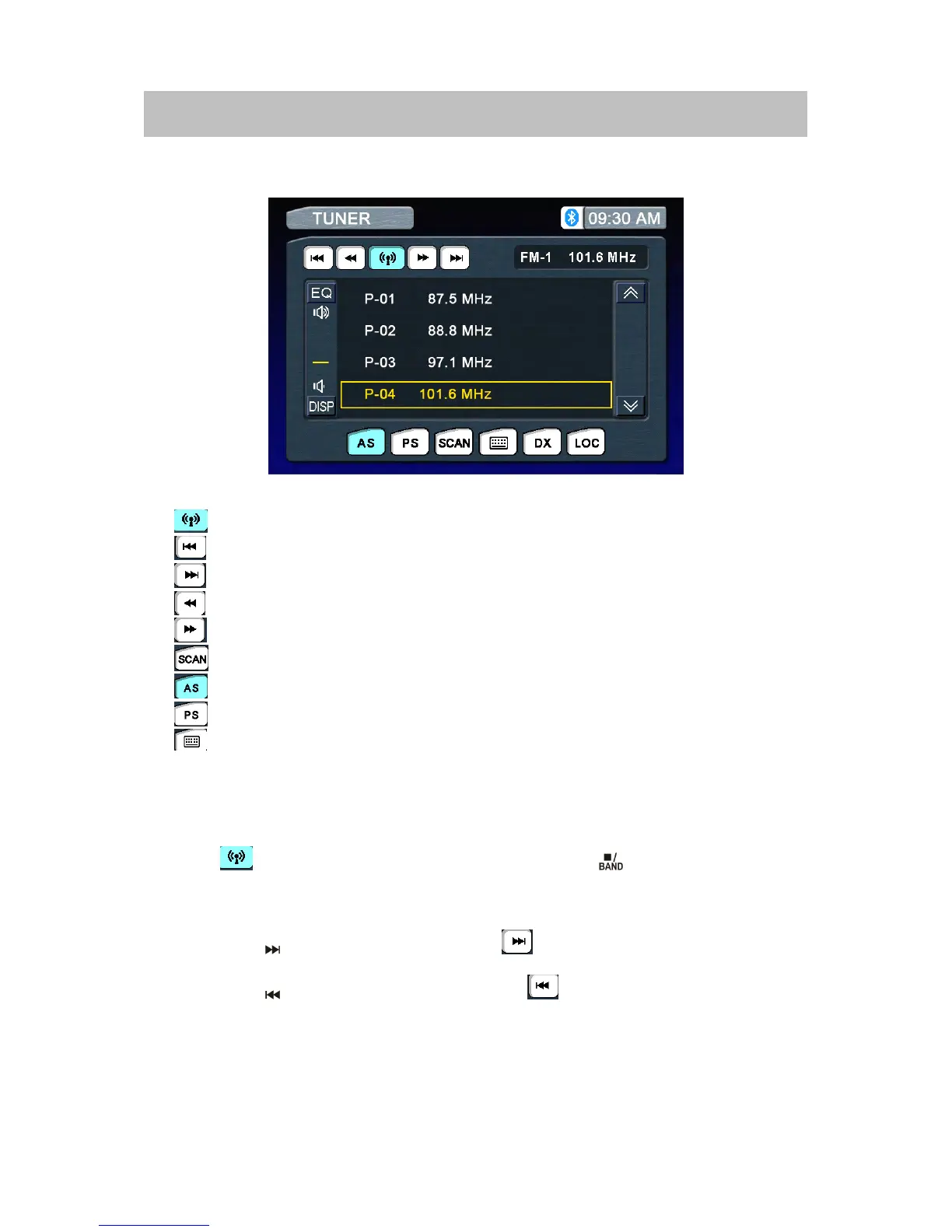
1.:Touchtochangeamongthefollowingbands:FM-1,FM-2,FM-3andAM.
2.
:Touchtoseekdown.
3.:Touchtoseekup.
4.:Touchtotunedownonceastep.
5.:Touchtotuneuponceastep.
6.:Touchtoactivate/deactivateScanMode
7.
:Autostore
8.:Programscan
9.:Touchtodisplaythenumerickeypadonthescreen
Switch
Switch
Switch
Switchto
t o
to
toRadio
R adio
Radio
RadioTuner
T uner
Tuner
Tunersource
s ource
source
source
PresstheremotecontroltoswitchtotheTuner
T uner
Tuner
Tunersource.
Select
Select
Select
SelectFM/AM
F M/AM
FM/AM
FM/AMBand
B and
Band
Band
Touchthebuttononthescreen,orpresstheBANDbutton()ontheremotecontrolto
changeamongthefollowingbands:FM-1,FM-2,FM-3andAM.
Auto
Auto
Auto
AutoTuning
T uning
Tuning
Tuning
Pressthebutton()onremotecontrolortouchthebuttononthescreentoseekthenext
availablechannelbyincreasingthetuningfrequency.Pressthebuttonagaintostopsearching.
Pressthebutton()ontheremotecontrolortouchthebuttononthescreentoseekthe
nextavailablechannelbydecreasingthetuningfrequency.Pressthebuttonagaintostop
searching.



 To Next Page