34
1
○
Currentsourceindicator。
2
○
Touchtoreturntothe
previousmenu.
3
○
Touchtoaccessthedial
interface.
4
○
TouchtoaccessthePhone
book.
5
○
TouchtoaccessA2DPcontrol
menu.
6
○
TouchtoaccessBluetoothsetup.
Phone
Phone
Phone
PhoneBook
B ook
Book
Book
PressthebuttontoaccessthePhoneBook.
You
canseephonebooklist,SIMbooklist,dialedcalllist,receivedcalllist,missedcalllist.
IfthenumberhasbeenstoredinthePhonebook,
it
canbeaccessedbytouchingor
onthescreentonavigatethroughthePhoneBookentries.
Then,touchthenumbertoinitiatethephonecall
NOTE:
NOTE:
NOTE:
NOTE:NotallBluetoothenabledphonessupportthisfeature
Bluetooth
Bluetooth
Bluetooth
Bluetoothsetup
s etup
setup
setup
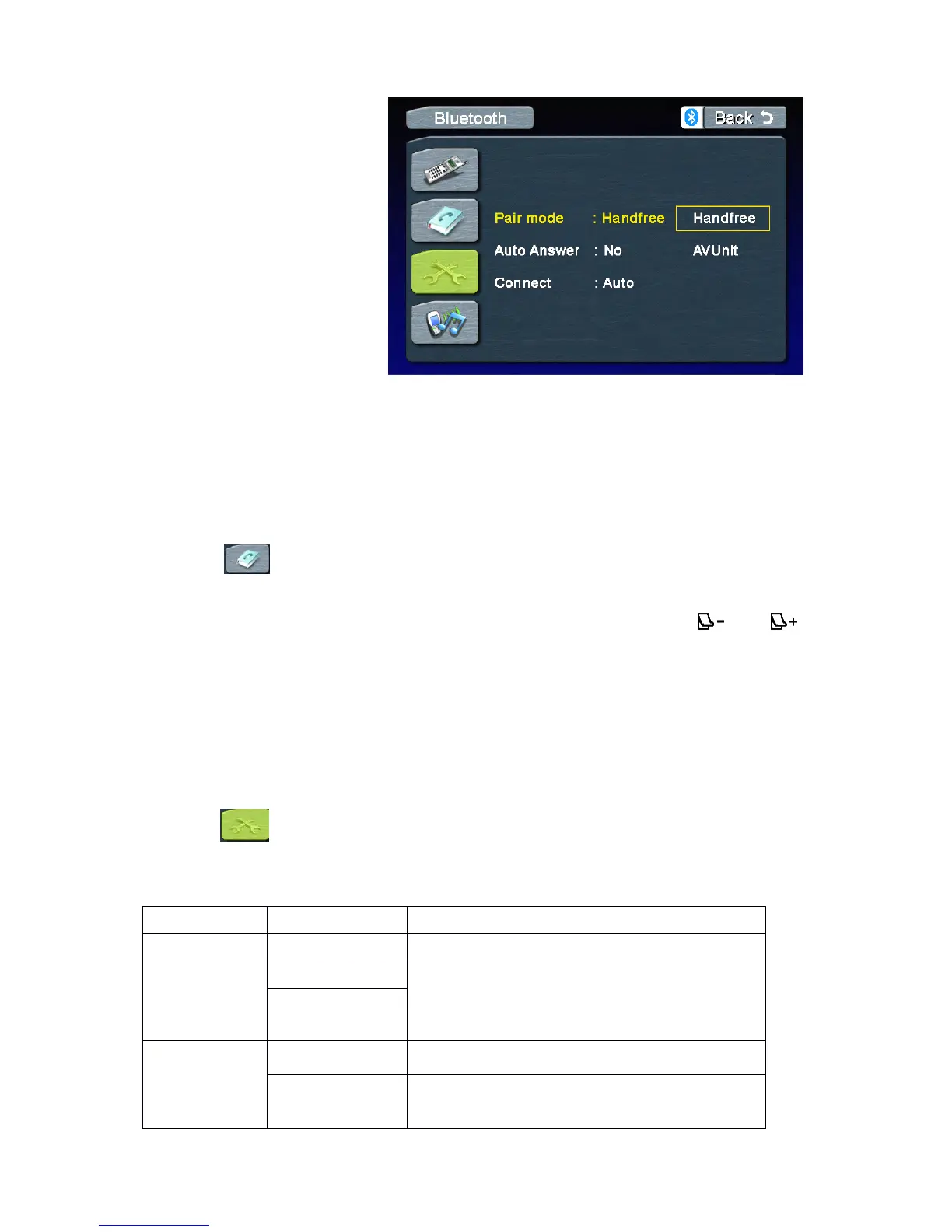
SelectthebuttontoaccesstheBluetoothsetup.
LANGUAGE
LANGUAGE
LANGUAGE
LANGUAGEMenu
M enu
Menu
MenuFeatures
F eatures
Features
Features
Pressthe“Handsfree”buttontostarttowaitfor
pairingwithonephonewithoutA2DP.
Pressthe“AVUnit”buttontostarttowaitfor
pairingwithonephonewithinA2DP.



 To Next Page