SOLDERING IRON
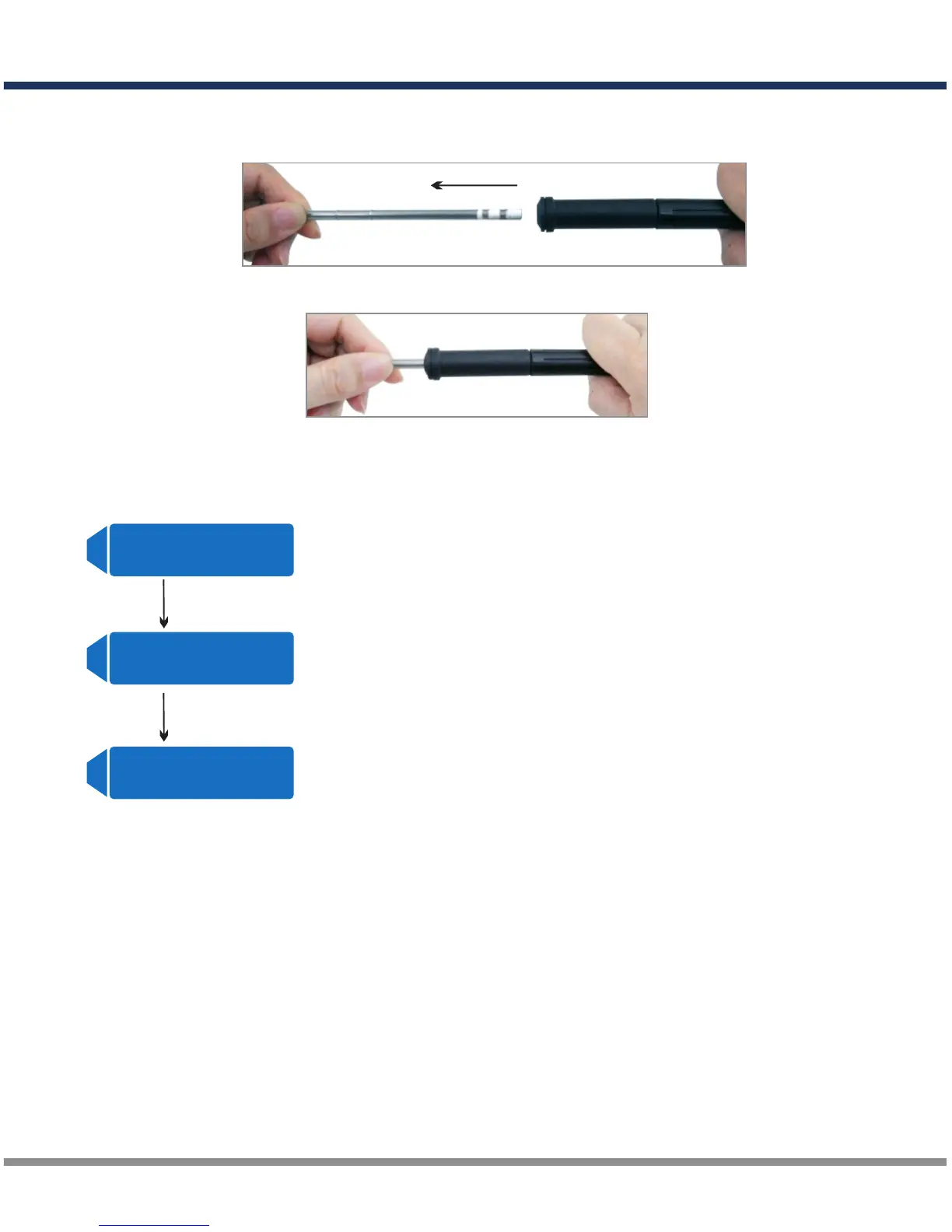
3. Replacing the Tip
Power off, unplug the cord, and allow the iron to cool down.
Hold the tip and put it out
Insert the new tip
4. Parameter Change
B A T T / PR O G R A M
S Y S T E M SE T T I N G - >
A
START
ENTER
T e m p e ra t u r e U n i t
C e l s i u s
A
T e m p e ra t u r e U n i t
F a h r e n h e i t
A
Press ENTER button to enter SYSTEM SETTING.
press INC or DEC button to enter temperature unit set.
Press ENTER button and the temperature unit will start
to blink, press INC or DEC to change the unit.
Press ENTER button again to confirm the selection.
INC/DEC
Replacement Parts
Pencil Tip (SK-600090-01)
Chisel Tip (SK-600090-02)
D200
23 ·



 To Next Page