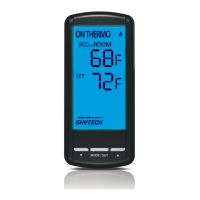
THERMOSTAT FUNCTION
NOTE: The thermo feature operates the appliance whenever the room temperature varies a certain number of degrees from the set
temperature. This variation is called the “swing” or temperature differential. This feature lets the appliance turn off and on 2 ºF (1 ºC)
above or below the set temperature of the room. This is to cushion the number of times the appliance is turned on and off.
THERMO UPDATING FEATURE - TRANSMITTER
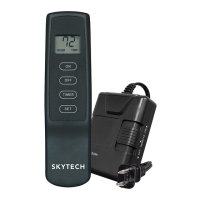
When in thermo mode, the transmitter reads the ROOM temperature every 2 minutes, checks the room temperature against the SET
temperature then sends a signal to the receiver.
THERMO SET
THERMO MODE
THERMO ON
THERMO OFF
Slide
Switch
OFF
REMOTE
ON
LEARN
VALVE
ANTENNA
REMOTE RECEIVER
Dry Contact
(2) 1/4” female
Connectors
T o 110VAC
input
Before installation, make sure you turn the slide switch to • OFF. After installation, make sure you turn the slide switch to REMOTE.
The remote receiver can be placed on the replace hearth or under the replace behind the control access panel. •
Use the wires attached to the remote receiver to connect to the gas valve or the electric module (piggyback connectors have both •
male & female terminals for exibility).
Be sure that the connectors do not touch each other or other bare metal surfaces; this will cause the appliance to turn on. The con-•
nectors may be wrapped with electrical tape to prevent this.
INSTALLATION
Protection from extreme heat is very important. The remote receiver should be kept away from temperatures exceeding 130ºF. Extreme
heat can cause damage, which is not covered under warranty.
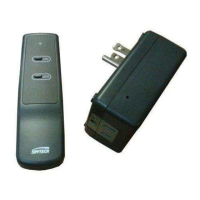
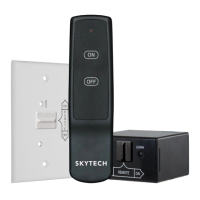
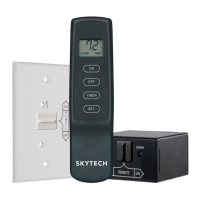
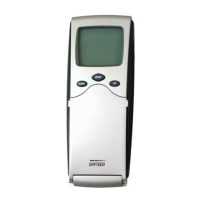
When plugged into a standard 110-120 VAC receptacle, the remote receiver operates on
commands from the transmitter or from the slide switch on the face of the receiver (This
switch is to be used during a power outage to operate the appliance manually).
ON• : will manually turn on the appliance.
REMOTE• : will allow use of handheld transmitter. If the system does not respond to the
transmitter on initial use, check the battery positions in the remote. If that does not work,
see the LEARNING TRANSMITTER TO RECEIVER section.
OFF• : will disable the remote receiver.
It is suggested that the slide switch be placed in the OFF position if you will be •
away from your home for an extended period of time.
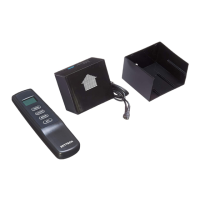
The remote receiver is manufactured with a “dry contact” relay in its circuitry that operates
like an on/off switch. However, no power or current passes from the 110-120 VAC input side
to the wires leading from the output side of the remote receiver.
RECEIVER
WARNING
This remote control system must be installed exactly as outlined in these instructions. Read all instructions completely before at-
tempting installation. Follow instructions carefully during installation. Any modications of this remote control or any of its compo-
nents will void the warranty and may pose a re hazard.
Consult gas appliance manufacturer’s instructions and wiring schematics for proper placement of all wires. All electronic modules
are to be wired to manufacturer’s specications.
The following wiring diagrams are for illustration purpose only. Follow instructions from manufacturer of gas valve and/or electronic
module for correct wiring procedures. Improper installation of electric components can cause damage to electronic module, gas
valve and remote receiver.
REV 7/24/12 Page 2
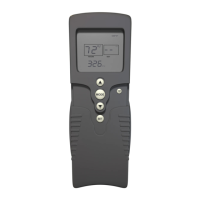
Press the • MODE key until the LCD screen shows the word “ROOM.”
(See Thermo Mode graphic)
To adjust set temperature, press and hold the • SET key until the de-
sired temperature is reached. The temperature range is 99ºF (32ºC)
to 45ºF (6ºC). (See Thermo Set graphic)
The LCD screen will display the set temperature for 3 seconds, then •
it will ash the set temperature for 3 seconds. It will default to show
the room temperature.
The ame icon will appear when the control calls for heat. (See •
Thermo On graphic). The ame icon will disappear when the appli-
ance reaches its set temperature. (See Thermo Off graphic).
Press the • MODE key to disengage the Thermo Mode. “ROOM” will
disappear from the LCD screen.
Skytech 1410TH-A
f i r e - p a r t s . c o m


 To Next Page
 Loading...