WIRING INSTRUCTIONS
A qualied electrician should install the remote control system.
1 2 3 4 5 6
REMOTE RECEIVER
TERMINAL BLOCK
ON MILLIVOLT
GAS VALVES
TH
TP
TP
TH
THERMOPILE/
PILOT LIGHT
T o 11 0VAC
input
1 2 3 4 5 6
REMOTE RECEIVER
ELECTRONIC MODULE
TR
TH
neutral wire
24VAC
hot wire
110/24VAC
Transformer
T o 1 1 0VAC
input
The remote control receiver can be connected, in series, to a 24VAC transformer to
the TR (transformer) terminal on the ELECTRONIC MODULE. Connect the hot wire
from the 24VAC transformer to either of the wires on the remote receiver. Connect
the other wire from the receiver to the TH (thermostat) terminal on the ELECTRONIC
MODULE.
MILLIVOLT VALVES
ELECTRONIC SPARK IGNITIONS
MILLIVOLT SYSTEM CHECK
Ensure that the pilot ame is lit.•
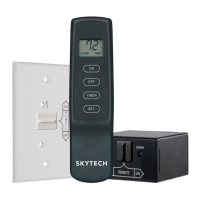
Slide the 3-position button on the remote receiver to the • ON position. The main gas ame (i.e., the re) should ignite.
Slide the button to • OFF. The main ame should extinguish (the pilot ame will remain on).
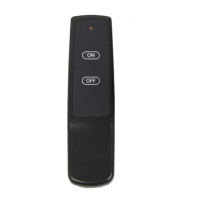
Slide the button to • REMOTE, then press the ON button on the transmitter to change the system to on. The main gas ame should
ignite.
ELECTRONIC SPARK SYSTEM CHECK
Slide the 3-position button on the remote receiver to the • ON position. The spark electrode should begin sparking to ignite the pilot.
After the pilot ame is lit, the main gas valve should open and the main gas ame should ignite.
Slide the button to • OFF. The main gas ame and pilot ame should both extinguish.
Slide the button to • REMOTE, then press the ON button on the transmitter to change the system to on. The spark electrode should
begin sparking to ignite the pilot. After the pilot is lit, the main gas valve should open and the main gas ame should ignite.
CP (CHILDPROOF) FEATURE
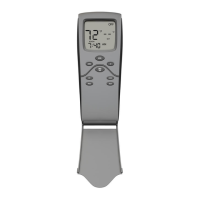
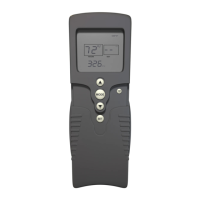
This remote control includes a childproof feature that allows the user to “lock-out” operations from the Transmitter.
To activate and de-activate the childproof feature, press and hold the • ON button and the MODE button at the same time for 5 sec-
onds. The letters “CP” will appear in the TEMP frame on the LCD screen.
“CP” will appear on the LCD screen if any button is pressed while childproof mode is engaged.•
When this mode is engaged, all auto settings go on without interruption (like thermostat). Only manual functions are prevented.•
Connect one wire from the remote receiver to the TH terminal on the gas •
valve.
Connect the other wire from the remote receiver to the TH/TP terminal on •
the gas valve.
REV 7/24/12 Page 3
Skytech 1410TH-A
f i r e - p a r t s . c o m



 To Next Page