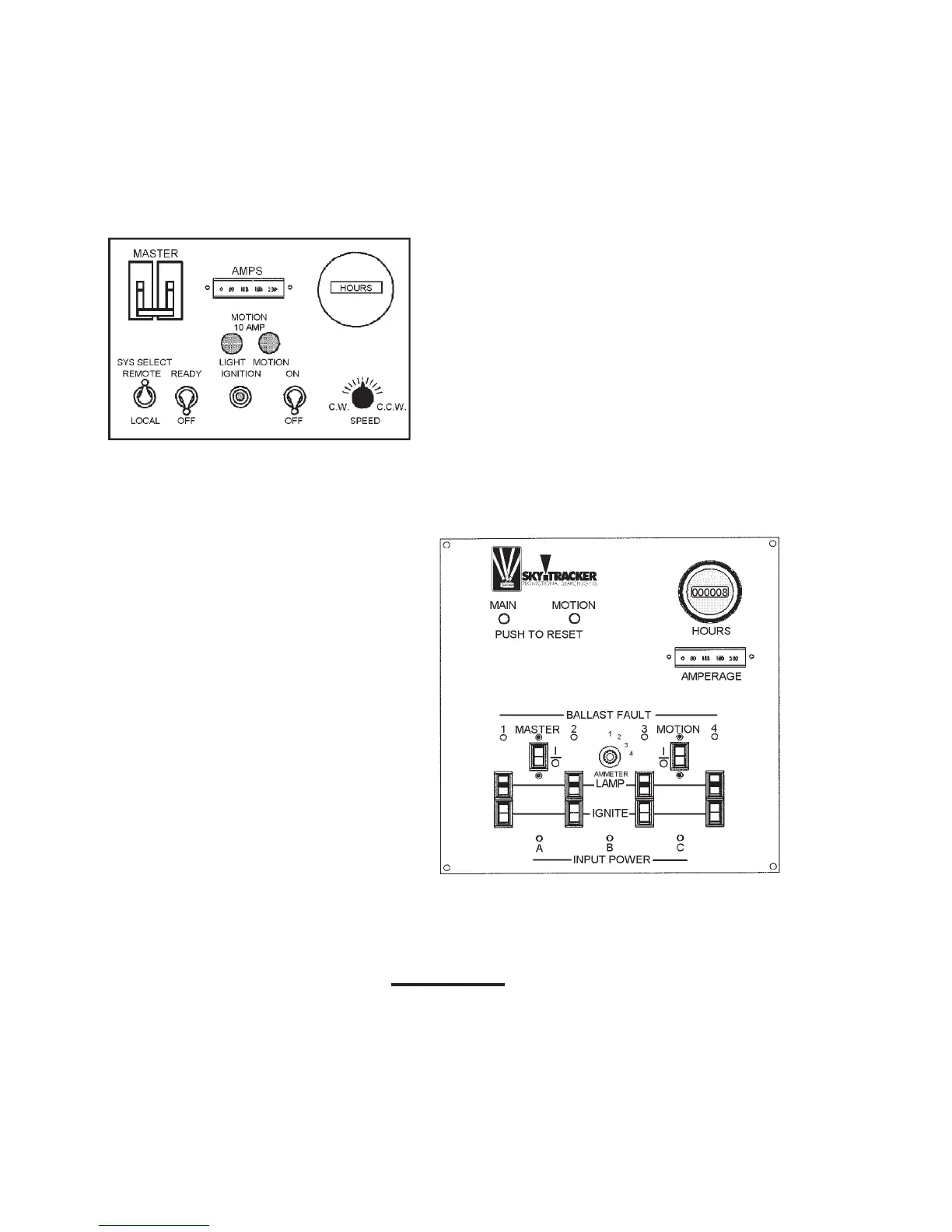
If a pilot light does not come on, it is an indication that input power is not being supplied
to that particular phase. On the STX-4 models, when all three lights are lit (two on single
phase STX-4 – 2000’s), the unit is “powered” and ready to function. STX-1 units do not
have pilot lights.
NOTE: It is not detrimental to
the SkyTracker units to leave
the input power connected
(with the pilot lights lit) when
the unit is not being used,
as long as the “Master” and
“Motion” switches are in the
“OFF” (down) position
.
STX-1 CONTROL PANEL (Figure 1)
STX-4 CONTROL PANEL (Figure 2)
3.2.1 LIGHTS “ON”
To turn the lights on, move the “Master”
switch to the ”ON” position (up), and set
each of the individual lamp switches to
“ON” (up). The lights will automatically
ignite within 3 to 4 seconds. In the event
that the “autostrike” feature of the Sky-
Tracker does not function properly (as
evidenced by the lamps failing to light
withinafewseconds);anylampcanbe
manually lit by momentarily pressing its
respective manual start button located
on the control panel.
CAUTION
If the lamp still fails to light, there is a malfunction, which must be corrected.
DO NOT hold the manual “IGNITE” button in for more than a fraction of a sec-
ond. A brief, momentary push is all that is required. Holding the manual start
button in for a prolonged period is not necessary for lamp ignition, and can
result in failure of the igniter components.
4



 To Next Page