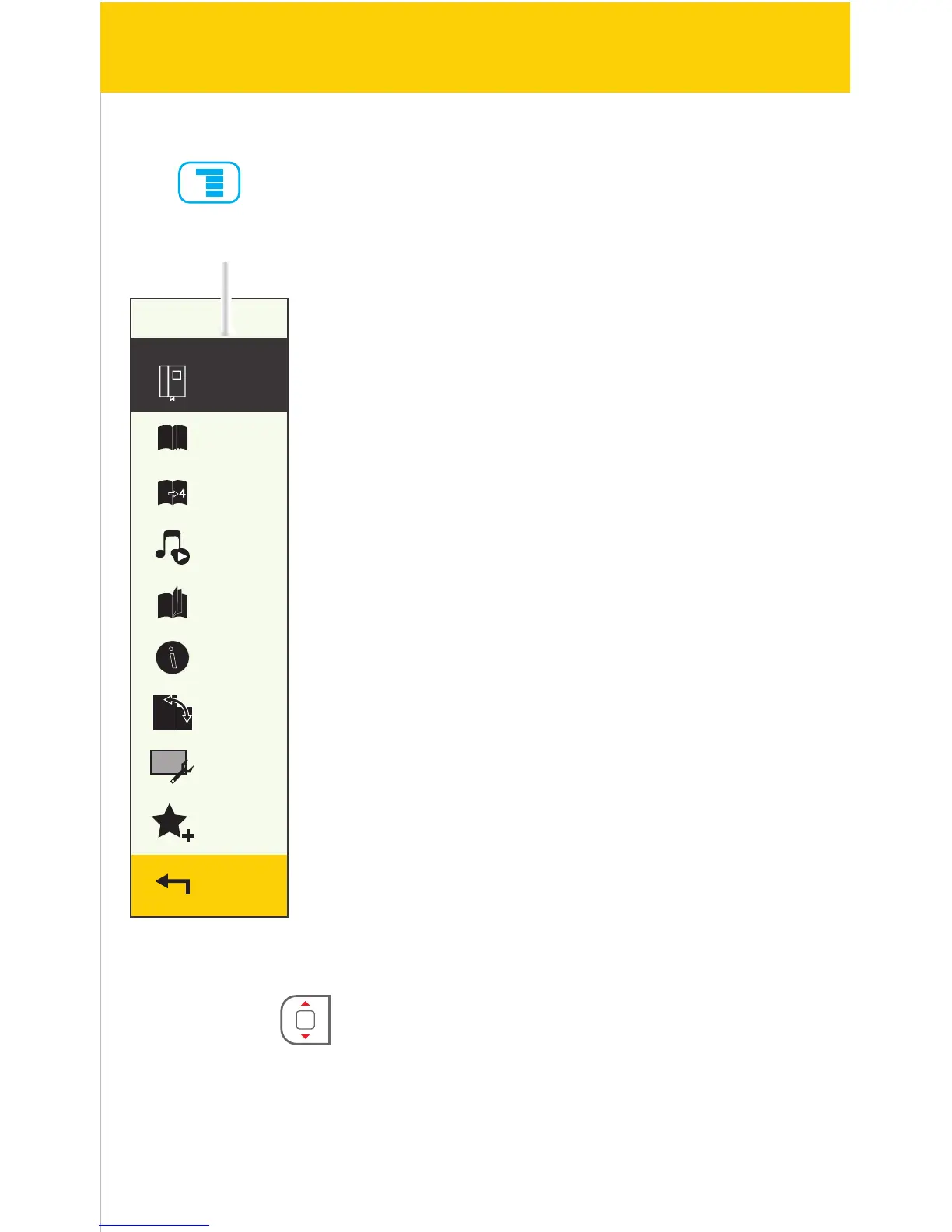
Add
bookmark
Bookmarks
Go to page
Music
Auto flip
Book
information
Rotate
Display
settings
Add to
favorites
Return
Add bookmark: Select to add a bookmark of the current
page.
Bookmarks: Displays all the stored bookmarks
Go to page: Jump to your desired page
Music: Play music while reading
Auto ip: Set up the time for the auto ip pages feature
Book information: Review the details of the current book
Rotate: Switch the orientation of the display
Display settings: Change the font color, background color
and brightness
Add to favorites: Add current book to the favorites list
Return: Exit the Reading menu
Reading menu
Reading menu:
Press while reading a book and the Reading menu opens.
[ARROW KEYS] [] or [] to select an option from the menu.
Press [OK] to enter the option.
OK
18/41



 To Next Page