1.
3.
2.
4.
12.
13.
5.
6.
7.
8.
11.
9.
10.
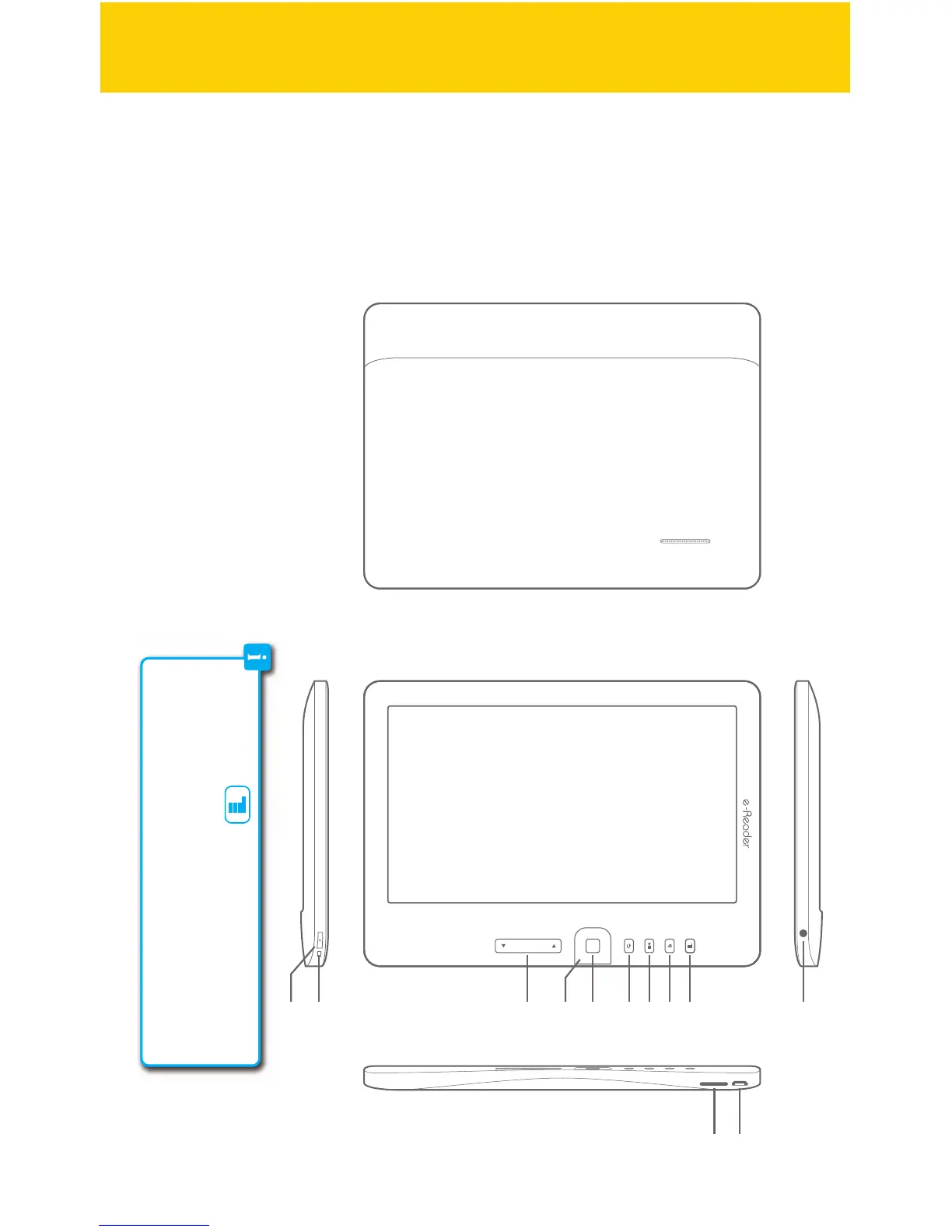
Location of controls
1. 7" color display
2. Headphone jack
3. [MENU] : Displays the function menu for each mode
4. [TEXT ZOOM] : Text zoom option
5. [PLAY/PAUSE] : Play/pause audio
6. [RETURN] : Return to previous screen
7. [OK] : Conrm the selection
8. [ARROW KEYS] : Multi-functional key
9. [PREVIOUS/NEXT PAGE] : Go to previous/next page
10. Charging indicator
11. [
�
] : Power on/o
12. Mini USB port
13. Micro SD card slot
Menu button:
The [MENU] button opens the menu options for the dierent modes of the
e-Reader. Library, Reading, Music, Video, Photos, etc. all have their own
unique menus that can be accessed by pressing the [MENU] button.
4/41



 To Next Page