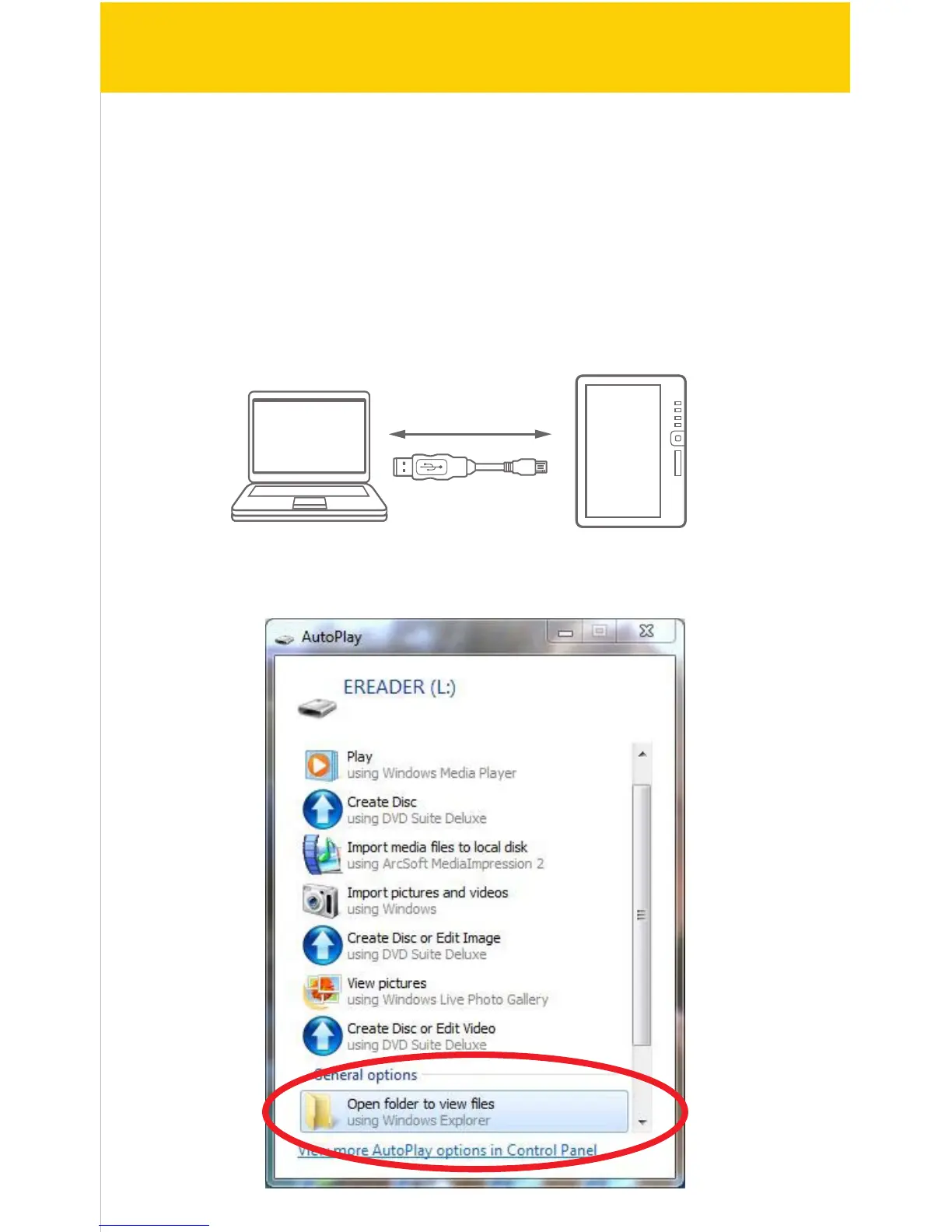
PC
USB cable
e-Reader
Installing the Kobo Desktop App
The Kobo Desktop App is a great place to buy the latest books and bestsellers or
browse from over 1 million free titles. Once an account is created (setting up the
account is free), it is easy to purchase, download and sync books to the e-Reader.
Follow the instructions below to install the Kobo Desktop App on your computer.
1. Make sure the computer is connected to the internet to download and use
the Kobo Desktop App.
2. Connect the e-Reader to the computer using the included USB cable.
3. In the window that pops up, click on “Open folder to view les”
7/41


 To Next Page