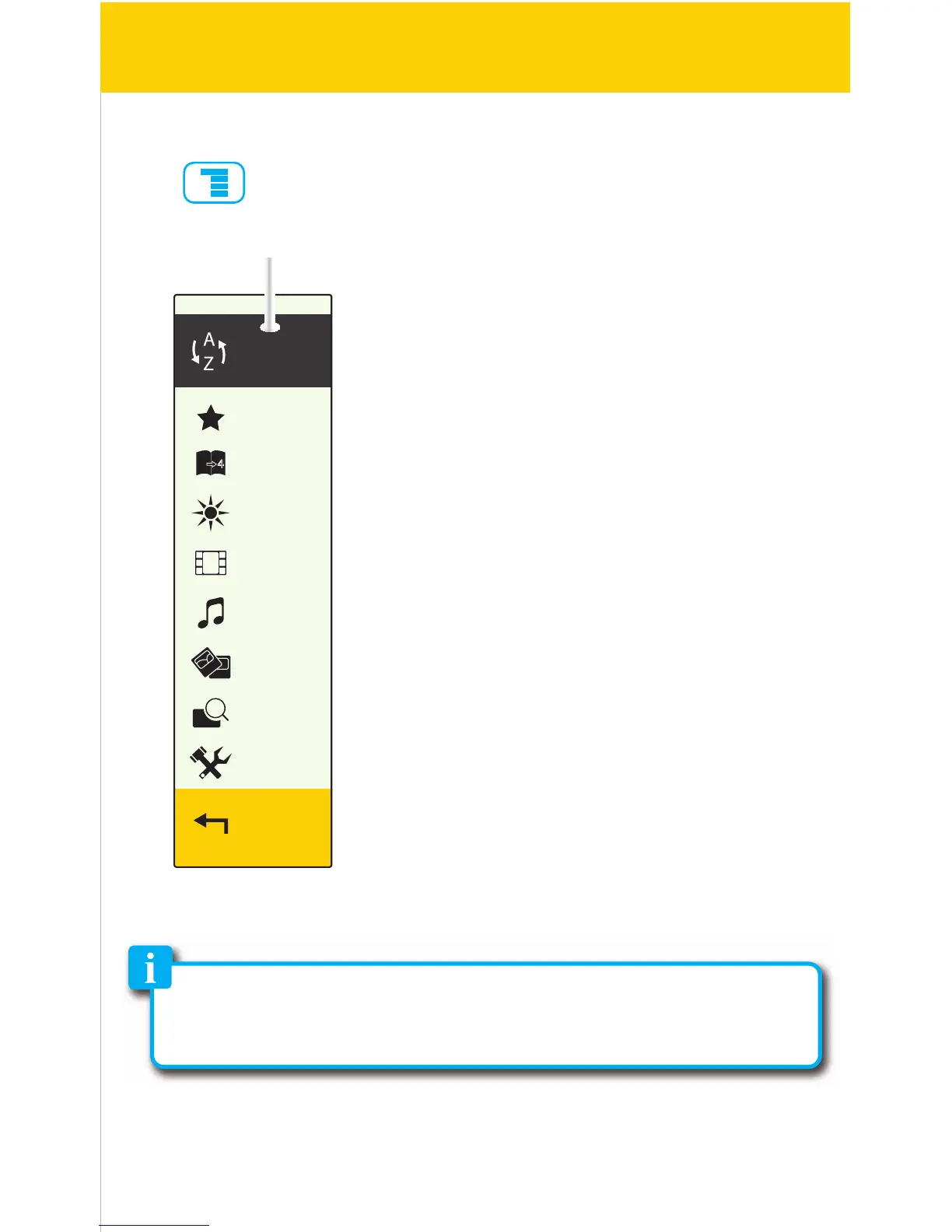
Sort by
Favorites
Bookmarks
Brightness
Return
File Explorer
Photo
Settings
Music
Video
Sort by: Change the order of the Library by title,
author, category, date, or format
Favorites: Browse the stored favorite books
Bookmarks: Browse bookmarks you made
Brightness: Change the brightness of the screen
Video: Play video
Music: Play music
Photo: See photos/slideshow
File Explorer: Browse, copy & paste, delete stored les
Settings: Change the settings of the device
Return: Return to the previous screen
Home screen menu
Home screen menu:
Press while on the Home screen and the Home screen menu opens.
For more information regarding Video, Music, Photo, File Explorer, and
Settings see the reverse side of the user guide.
24/41


 To Next Page