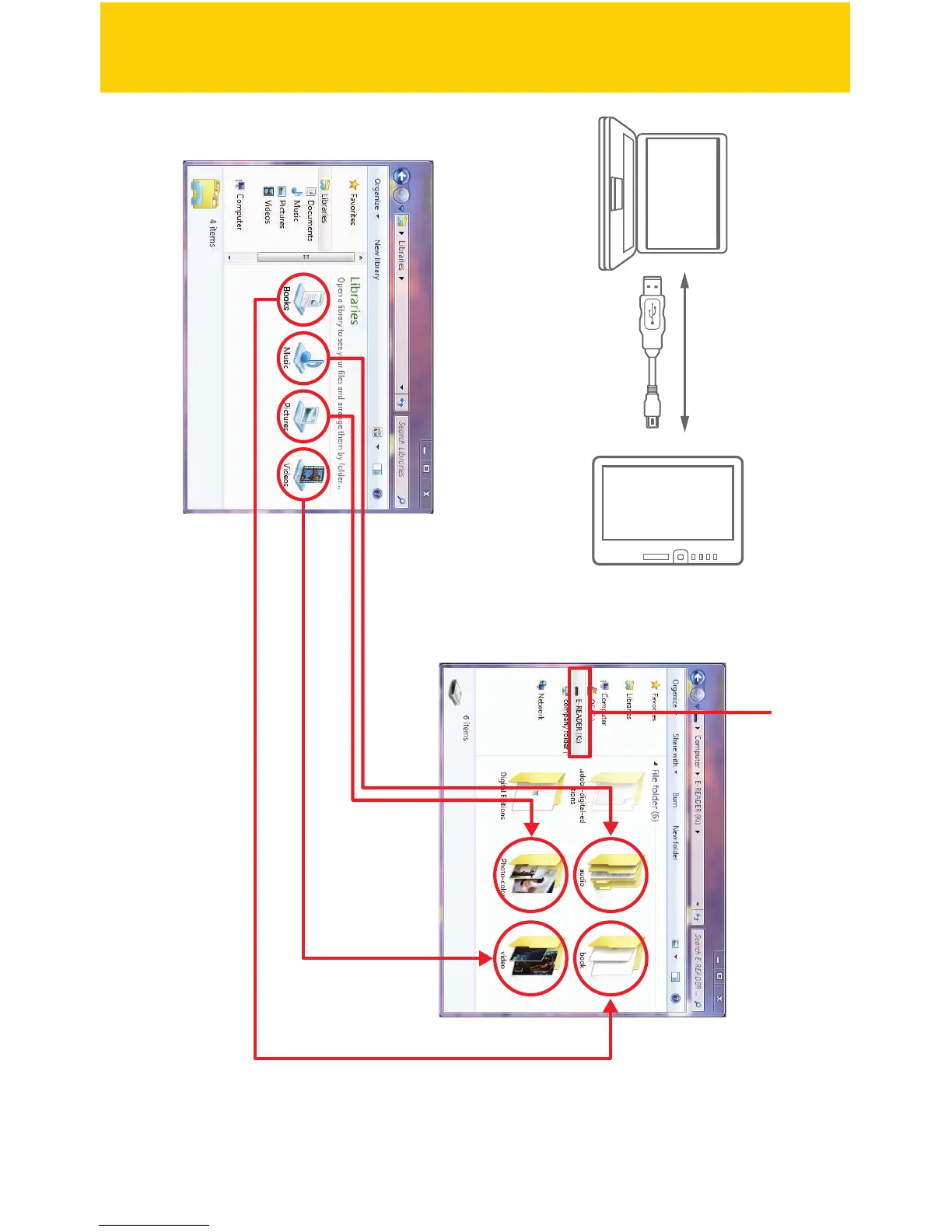
PC
USB cable
e-Reader
2. Click “E-READER” on the computer.
3. Drag and drop to copy book, audio, video and picture les to the e-Reader as
shown above.
To transfer and store multimedia les to the e-Reader, connect it to the computer
using the included USB cable.
1. Find and select book, music, picture, or video les from multimedia folders
on the computer.
s
o
erring media les
29/41


 To Next Page