English – Version 1.2 – January 2021
HomeLine
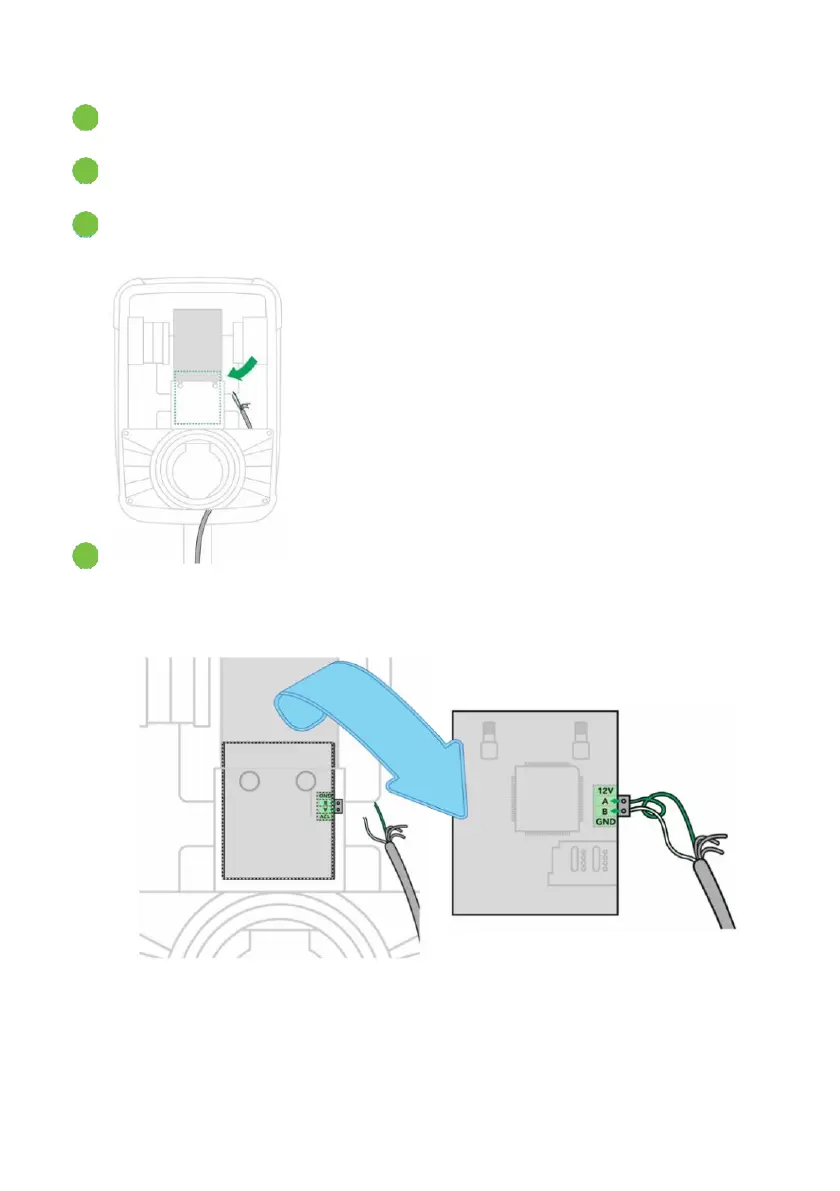
In the charging station, remove two hex-bolts then move the controller and modem
PCB up out of the support.
Find the RS485 connection on the modem board PCB. The figures below will help you
find the connection.
Route the network cable into the charging station along the same route as the power cable.
Connect the network cable to the modem board PCB using the gray 2-pole Phoenix
plug (supplied):
•
Green > RS485 pin A
•
Green/White > RS485 pin B


 To Next Page