
 Need help?
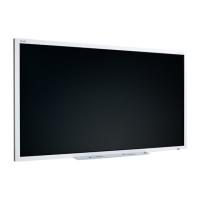
Do you have a question about the SMART Board 6000S Pro Series and is the answer not in the manual?
Details FCC compliance requirements for the device.
Outlines compliance with Canadian regulations.
Confirms adherence to EU directives.
Provides specific notes for the Windows 10 operating system.
Explains the purpose and scope of the user guide.
Provides an overview of the display and its key features.
Helps users determine their specific display model.
Lists optional accessories available for the display.
Directs users to additional resources and support.
Manages display power states using sensors and buttons.
Navigates the display interface via the Home button.
Describes buttons and connectors on the convenience panel.
Explains functions of the infrared remote control.
Details touch interaction and gestures.
Instructions for writing and erasing on the screen.
Accesses and manages built-in and third-party applications.
Displays ambient temperature and humidity.
Manages shared files, whiteboards, and screenshots.
Utilizes the whiteboard feature for Pro models.
Interacts with SMART Notebook files (education models).
Accesses the internet via the built-in browser.
Shares content from devices wirelessly.
Adds external applications via the Play Store.
Prepares the display for the next user.
Covers software installation and usage.
Links external computers to the display.
Displays computer output on the screen.
Optimizes display input settings.
Guidance on selecting appropriate connection cables.
Installs and connects the OPS PC module.
Connects external storage and input devices.
Adds secondary monitors.
Steps to resolve power issues.
Addresses unintended display activation.
Fixes for display image and blank screen issues.
Resolves problems with audio output.
Troubleshoots touch screen functionality.
Resolves issues with writing tools.
Fixes problems with built-in applications.
Addresses problems with SMART software on computers.
Troubleshoots the OPS PC module.
Guidance on seeking help from the reseller.
 General
| Display Size | 65", 75", 86" |
|---|---|
| Resolution | 4K UHD (3840 x 2160) |
| Display Type | LED |
| Aspect Ratio | 16:9 |
| Response Time | 8 ms |
| Brightness | 350 cd/m² |
| Contrast Ratio | 4000:1 |
| Viewing Angle | 178° |
| Warranty | 3 years |
| Connectivity | HDMI, USB, DisplayPort, Ethernet |
| Audio | Integrated speakers |
| Touch Points | 20 |
| Speakers | 2 x 20W |













 To Next Page