EasyManua.ls Logo

SMART Board 8070i - User Manual

SMART Board 8070i
96 pages
Print Icon
To Next Page IconTo Next Page
Loading...
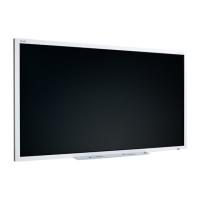
SMART Board™ 8070i
Interactive Display
User's Guide

Table of Contents

Question and Answer IconNeed help?

Do you have a question about the SMART Board 8070i and is the answer not in the manual?

Summary

Installing Your Interactive Display

Wall-Mounting Your Interactive Display

Instructions and considerations for mounting the display on a wall.

Important Mounting Considerations for Trained Installers

Details for professional installers regarding mounting procedures and hardware.

Connecting Computers and Peripheral Devices to Your Interactive Display

Connecting to Power and Your Room Computer

Instructions for powering the display and connecting the primary room computer.

Installing SMART Software

Installing SMART Meeting Pro Software

Instructions for installing the SMART Meeting Pro collaboration software.

Installing SMART Notebook Software

Steps for installing the SMART Notebook educational software.

Using Your Interactive Display

Turning On and Turning Off Your Interactive Display

Steps to power the interactive display and connected computer on and off.

Using the Infrared Remote Control

Guide to operating the display using the provided remote control.

Writing or Drawing Digital Ink

How to use the pen and screen to create digital ink annotations.

Erasing Digital Ink

Methods and settings for removing digital ink from the screen.

Manipulating Objects

Techniques for interacting with screen elements like icons and buttons via touch.

Working with Ink Aware Programs

Using the display with applications that support digital ink integration.

Using Guest Laptops with Your Interactive Display

Interactive Display USB and Video Connections

Diagram and explanation of how to connect multiple computers and laptops.

Maintaining Your Interactive Display

Calibrating Your Interactive Display

Steps to ensure accurate touch input by aligning cameras and screen.

Troubleshooting for Your Interactive Display

Resolving Image Issues

Steps to diagnose and fix problems related to the display image quality or absence.

Resolving Touch Control and Digital Ink Issues

Troubleshooting for problems with touch input and digital ink functionality.

Summary

Installing Your Interactive Display

Wall-Mounting Your Interactive Display

Instructions and considerations for mounting the display on a wall.

Important Mounting Considerations for Trained Installers

Details for professional installers regarding mounting procedures and hardware.

Connecting Computers and Peripheral Devices to Your Interactive Display

Connecting to Power and Your Room Computer

Instructions for powering the display and connecting the primary room computer.

Installing SMART Software

Installing SMART Meeting Pro Software

Instructions for installing the SMART Meeting Pro collaboration software.

Installing SMART Notebook Software

Steps for installing the SMART Notebook educational software.

Using Your Interactive Display

Turning On and Turning Off Your Interactive Display

Steps to power the interactive display and connected computer on and off.

Using the Infrared Remote Control

Guide to operating the display using the provided remote control.

Writing or Drawing Digital Ink

How to use the pen and screen to create digital ink annotations.

Erasing Digital Ink

Methods and settings for removing digital ink from the screen.

Manipulating Objects

Techniques for interacting with screen elements like icons and buttons via touch.

Working with Ink Aware Programs

Using the display with applications that support digital ink integration.

Using Guest Laptops with Your Interactive Display

Interactive Display USB and Video Connections

Diagram and explanation of how to connect multiple computers and laptops.

Maintaining Your Interactive Display

Calibrating Your Interactive Display

Steps to ensure accurate touch input by aligning cameras and screen.

Troubleshooting for Your Interactive Display

Resolving Image Issues

Steps to diagnose and fix problems related to the display image quality or absence.

Resolving Touch Control and Digital Ink Issues

Troubleshooting for problems with touch input and digital ink functionality.

SMART Board 8070i Specifications

General IconGeneral
BrandSMART Board
Model8070i
CategoryMonitor
LanguageEnglish

Related product manuals