Quick Reference
Using Microsoft Office Applications with SMART software
When software is Ink Aware, you can write and draw directly into an active file. When you save an Ink Aware application file,
your notes and drawings will be visible the next time you open it. Microsoft
®
Word, Excel
®
and PowerPoint
®
software are
the most commonly used Ink Aware applications.
Microsoft Word and Excel software
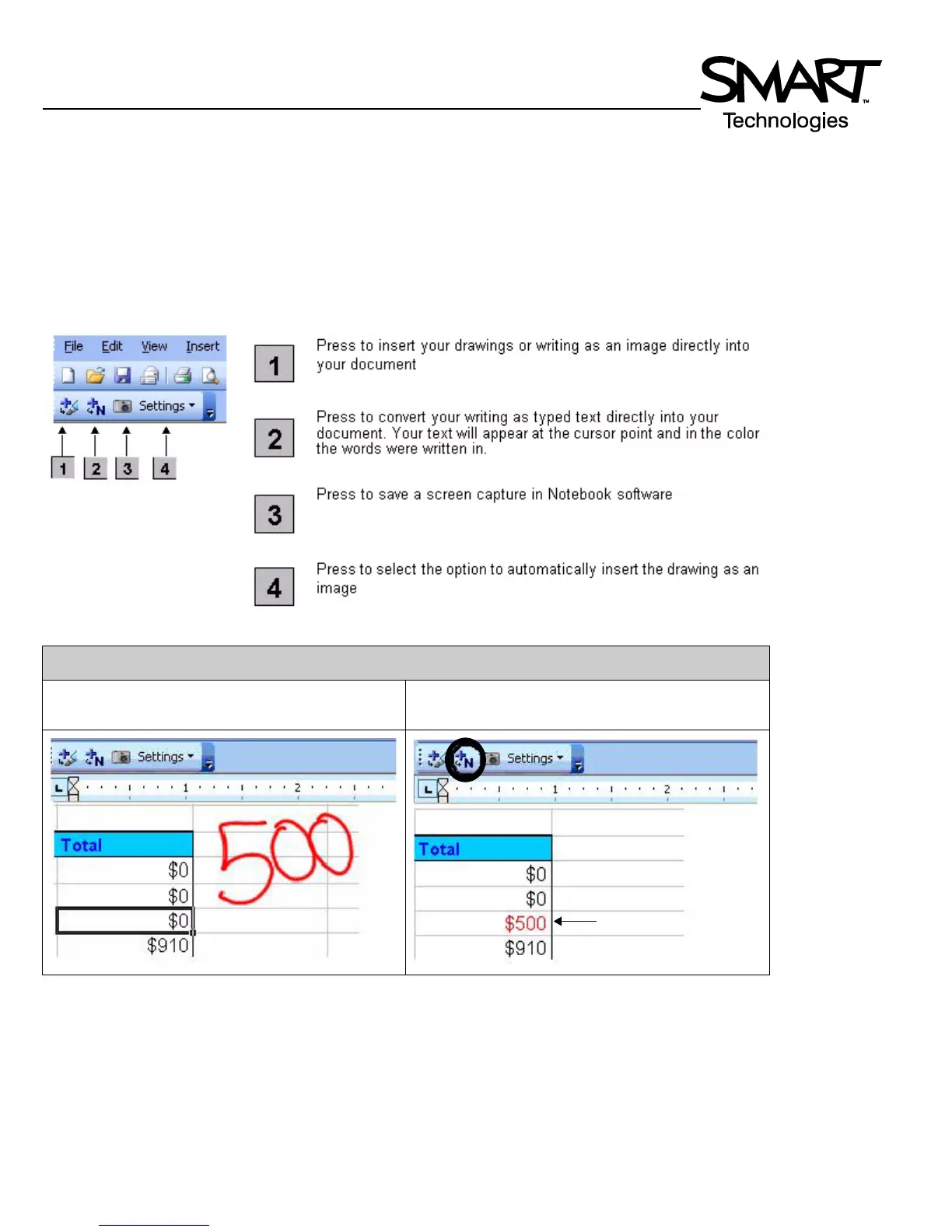
When using Microsoft Word or Excel software with your interactive whiteboard, you will notice four new buttons. They may
be integrated with the current toolbar or separated as a floating toolbar.
Example: Pressing the Insert Drawing as Text button
Before you press the button, the image is not part
of the file.
Press the button and the image becomes part of
the Microsoft Excel software file.
After pressing the Insert as
Text button, your writing
will appear in the selected
cell as text.



 To Next Page