Installation Manual STR7202 TAG4 & SFM7704 TAG1
DBCI-0512-0052-V013
STR7202 2-Side Trimmer & SFM7704 Square Fold Module
5. Installation (continued)
5.1 Mechanical Installation (continued)
5.1.5 Belt Stacker on SFM (continued)
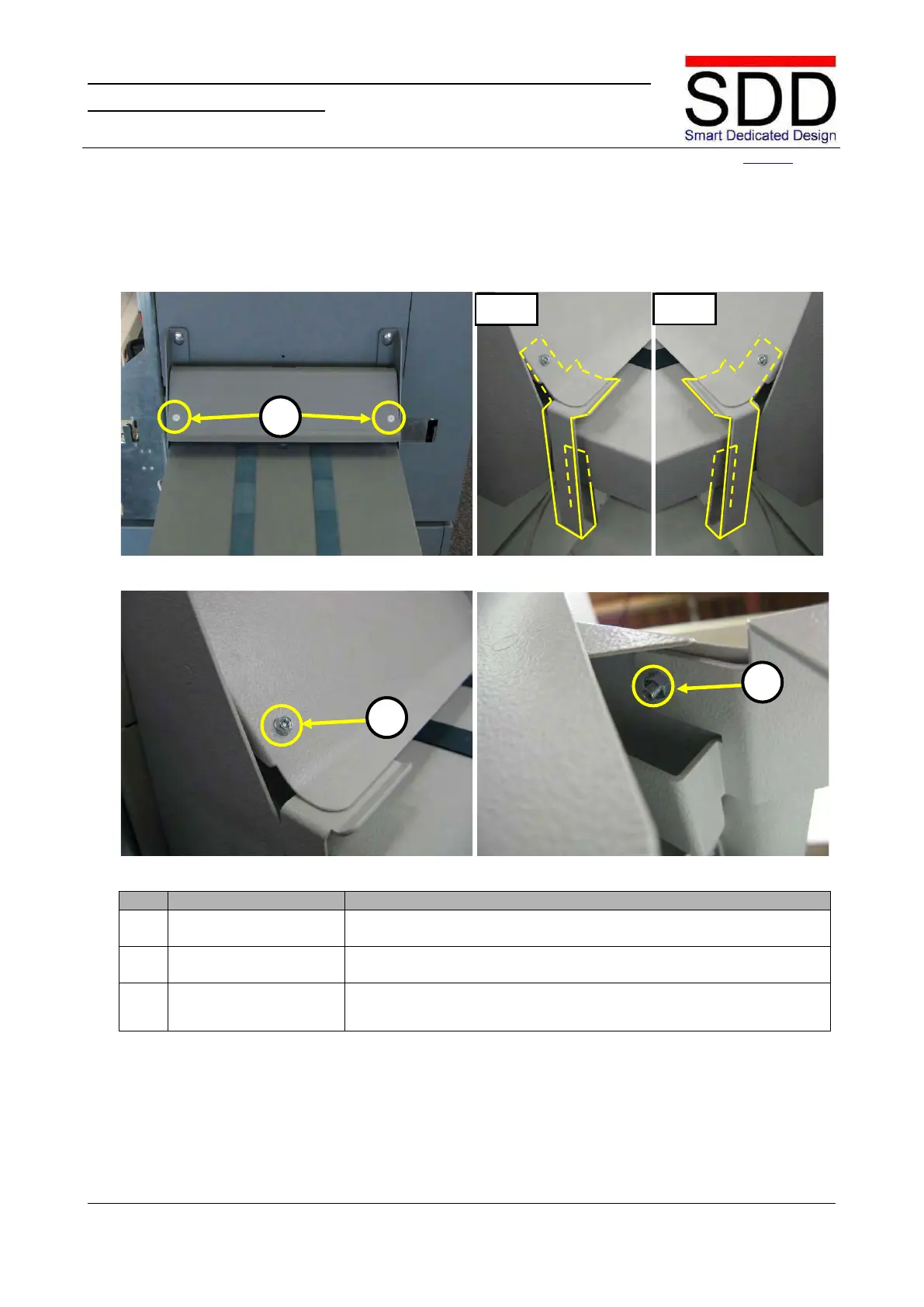
Fig. 5.1.5.10 Fig. 5.1.5.11
Fig. 5.1.5.12 Fig. 5.1.5.13
7. Remove Fasteners.
Remove the Drive Fasteners [D] from the Outfeed Cover. (Fig
5.1.5.10)
8. Place Safety Brackets.
Place the Safety Brackets on both sides under the Outfeed Cover
(Fig 5.1.5.11)
9.
Secure Safety
Brackets.
Secure the Safety Brackets on both sides with a hexagon cap screw
[E] and a nut [F] (Fig 5.1.5.12 & 5.1.5.13)



 To Next Page