Installation Manual STR7202 TAG4 & SFM7704 TAG1
DBCI-0512-0052-V013
STR7202 2-Side Trimmer & SFM7704 Square Fold Module
5. Installation
Contents
5.1 Mechanical Installation
5.1.1 STR behind Canon Booklet Trimmer F1
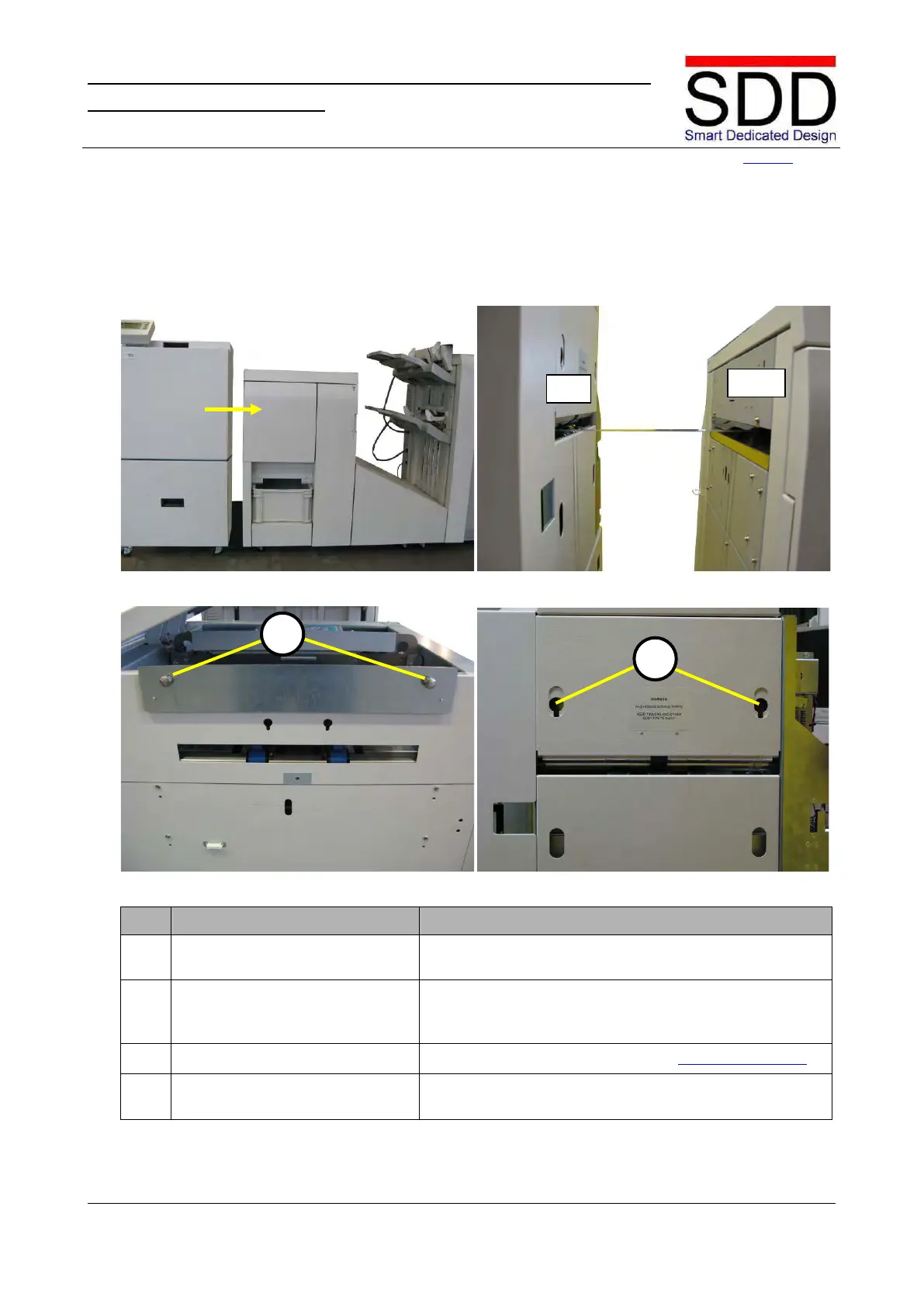
Fig. 5.1.1.1 Fig. 5.1.1.2
Fig. 5.1.1.3 Fig. 5.1.1.4
Position STR behind Canon Booklet Trimmer F1 (Fig.
5.1.1.1) and align units as per following steps.
Horizontally align the lower edge of the STR Infeed slot
on the lower edge of the Canon Booklet Trimmer Outfeed
If necessary adjust STR height (see 4.3 Preparing STR)
Adjust Coupling Plate in F1 Trimmer so Docking Studs
[A] fit in STR cut-outs [B] (Fig. 5.1.1.3 & 5.1.1.4).



 To Next Page