Installation Manual STR7202 TAG4 & SFM7704 TAG1
DBCI-0512-0052-V013
STR7202 2-Side Trimmer & SFM7704 Square Fold Module
6. System Setup
Contents
6.1 System Setup
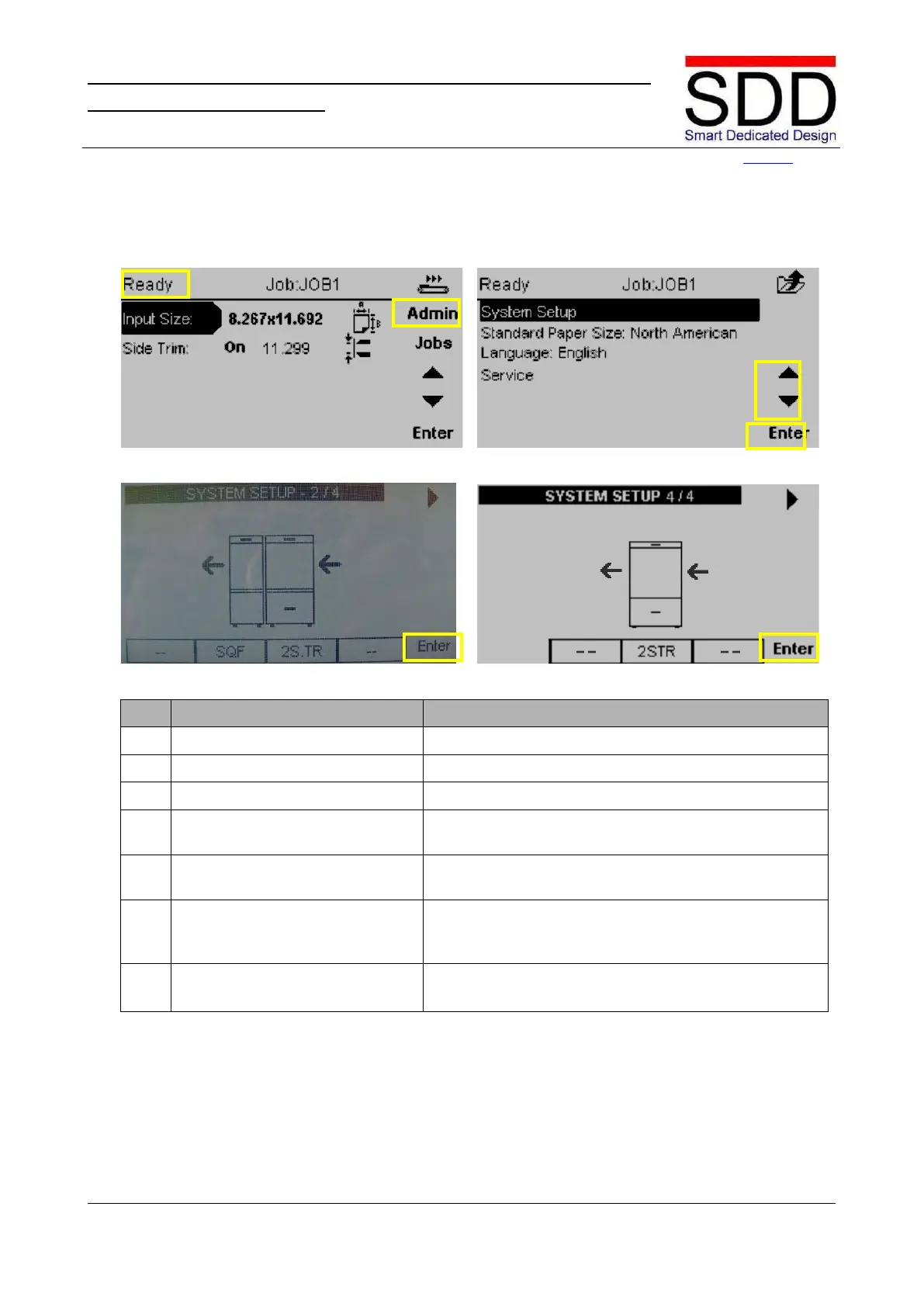
Fig. 6.1.1 Fig. 6.1.2
Fig. 6.1.3 Fig. 6.1.4
Make sure STR Trim Waste Bin Drawer is closed
Press the [Admin] button when [Ready] is displayed in
the top left corner (Fig. 6.1.1).
5. Enter [System Setup] menu Use the ‘▲ / ▼ buttons’ to select [System Setup] and
press the [Enter] button. (Fig. 6.1.2).
Select the correct System Setup with ‘►‘as per the units
installed (2/4 or 4/4) (Fig. 6.1.3). Press [Enter] to confirm
7. System restarts. System restarts.



 To Next Page