Installation Manual STR7202 TAG4 & SFM7704 TAG1
DBCI-0512-0052-V013
STR7202 2-Side Trimmer & SFM7704 Square Fold Module
5. Installation (continued)
Contents
5.4 Finalizing Installation (continued)
5.4.2 SFM on STR
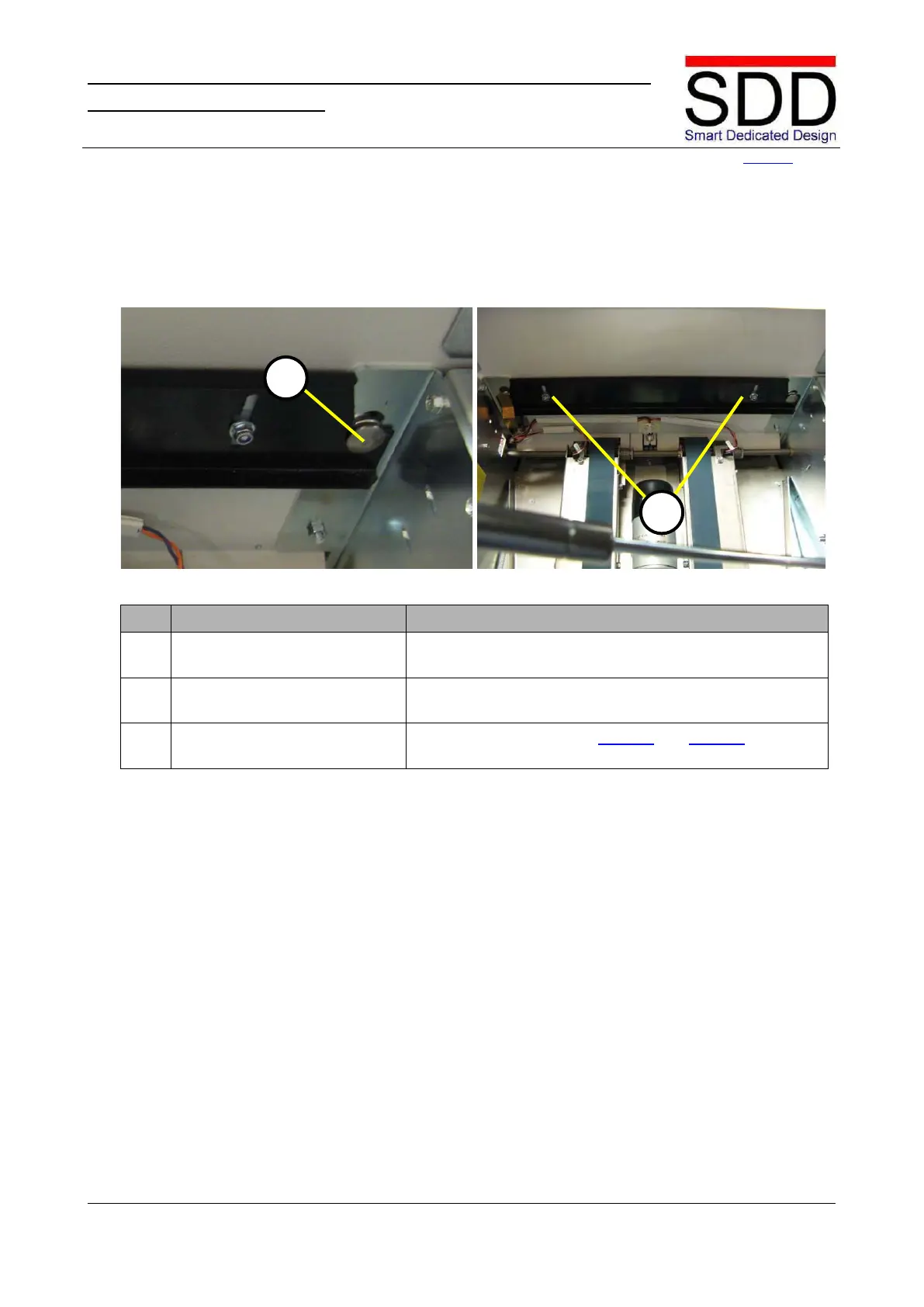
Fig. 5.4.2.1 Fig. 5.4.2.2
Open the SFM Top Cover and pull the Docking Bracket
upwards in the outer slot of the Stud [A]. (Fig. 5.4.2.1).
Secure the Docking Bracket by tightening nuts [B] (Fig.
5.4.2.2).
3. Place and secure Covers. Reverse the procedure on page 10 and page 14 to place
back and secure Covers on the STR and SFM.



 To Next Page