Installation Manual STR7202 TAG4 & SFM7704 TAG1
DBCI-0512-0052-V013
STR7202 2-Side Trimmer & SFM7704 Square Fold Module
4. Preparation (continued)
Contents
4.4 Preparing the STR
4.4.1 Covers and Height
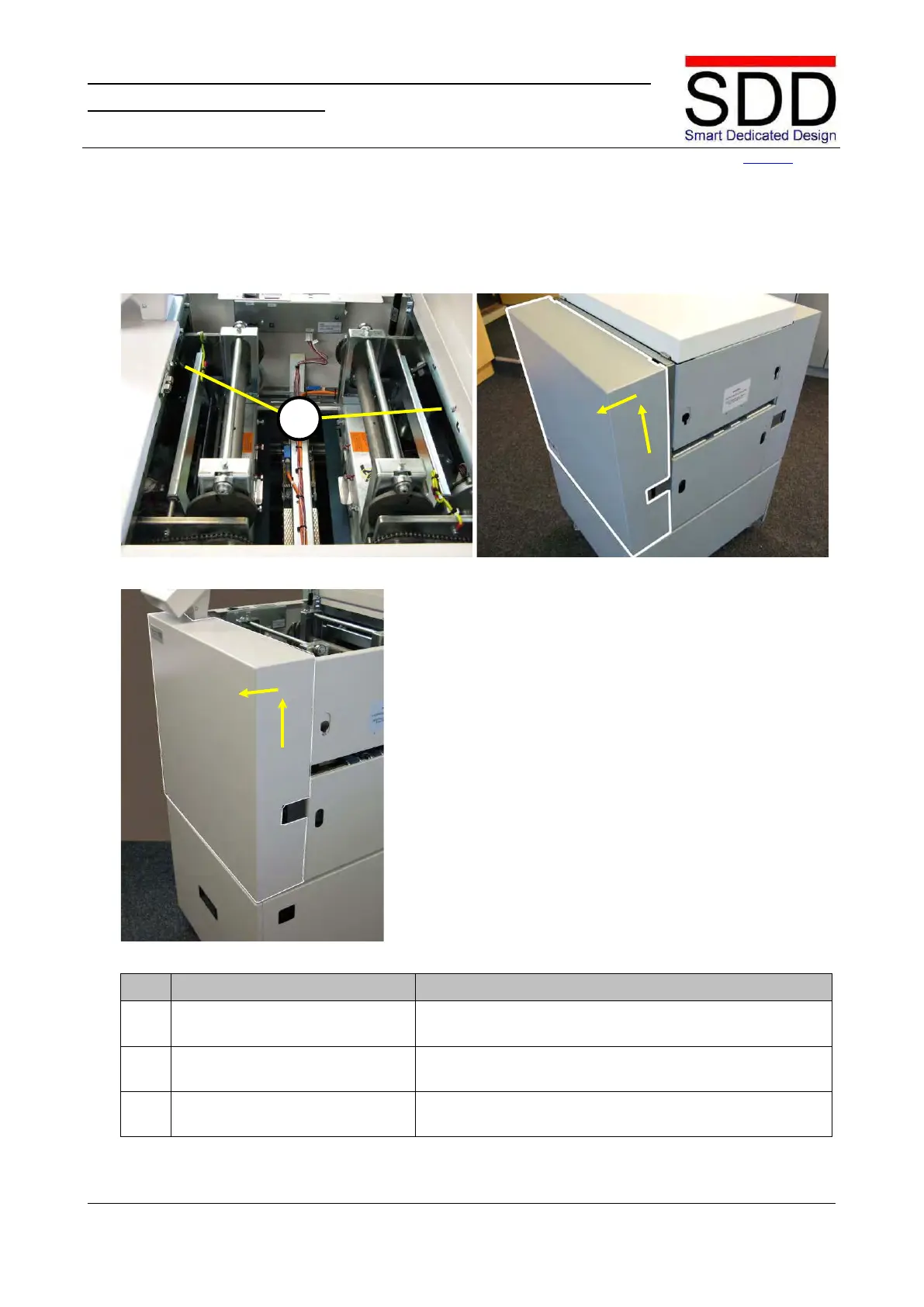
Fig. 4.4.1.1 Fig. 4.4.1.2
Fig. 4.4.1.3
1. Loosen Upper Covers. Open Top Cover, loosen Hex Bolts [A] and close Top
Remove Upper Right Cover.
Slightly lift Right Cover, disconnect grounding wire and
remove Cover (Fig. 4.4.1.2).
Slightly lift Left Cover, disconnect grounding wire and
remove Cover (Fig. 4.4.1.3).



 To Next Page