Installation Manual STR7202 TAG4 & SFM7704 TAG1
DBCI-0512-0052-V013
STR7202 2-Side Trimmer & SFM7704 Square Fold Module
6. System Setup (continued)
Contents
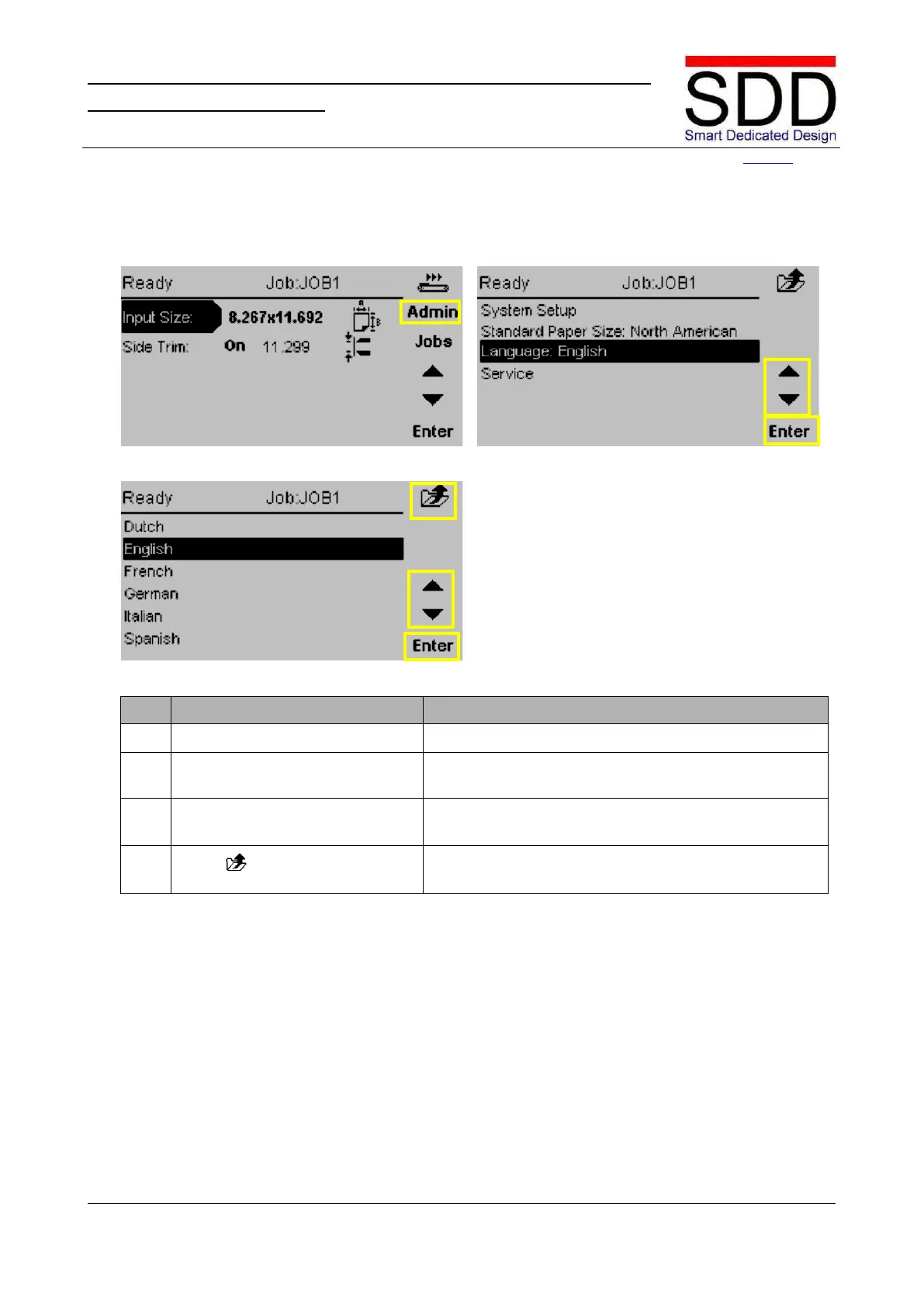
6.2 Language
Fig. 6.2.1 Fig. 6.2.2
Fig. 6.2.3
Press the [Admin] button (Fig. 6.2.1)
Use the ‘▲ / ▼ buttons’ to select [Language:] and press
the [Enter] button. (Fig. 6.2.2)
Use the ‘▲ / ▼ buttons’ to select the correct Language
(Fig. 6.2.3). Press [Enter] to confirm.
Press
Press [Return] to return to the Main Menu.



 To Next Page