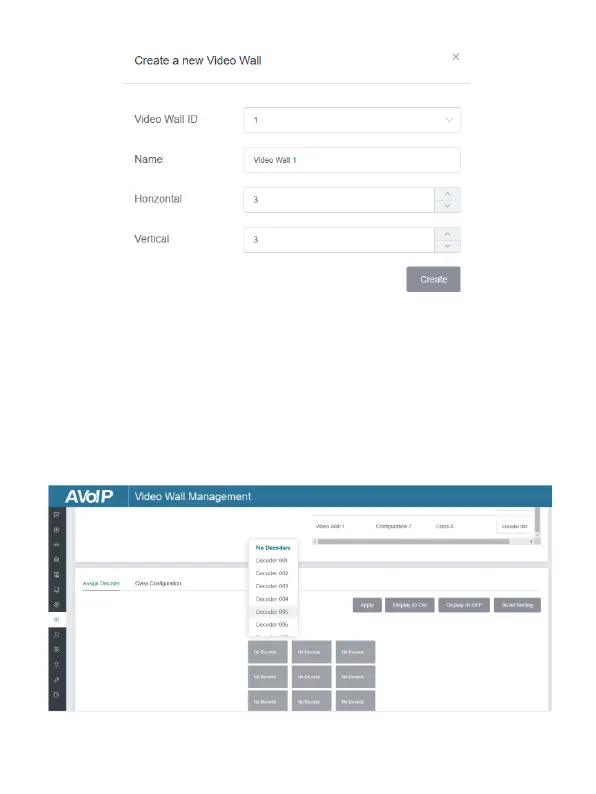
You can set the Video Wall ID, Name, Horizontal and Vertical panel
numbers. Then click “Create” to create the Video Wall.
Note: Up to 9 video walls can be created.
Step 2: Select the video wall that you want to configure on the “Video
Wall List”, then click “Assign Decoder” to enter the Decoder assignment
page. Click each screen to select the corresponding Decoder device,
then click “Apply”.
Note: A Decoder can only be assigned to one video wall.


 To Next Page