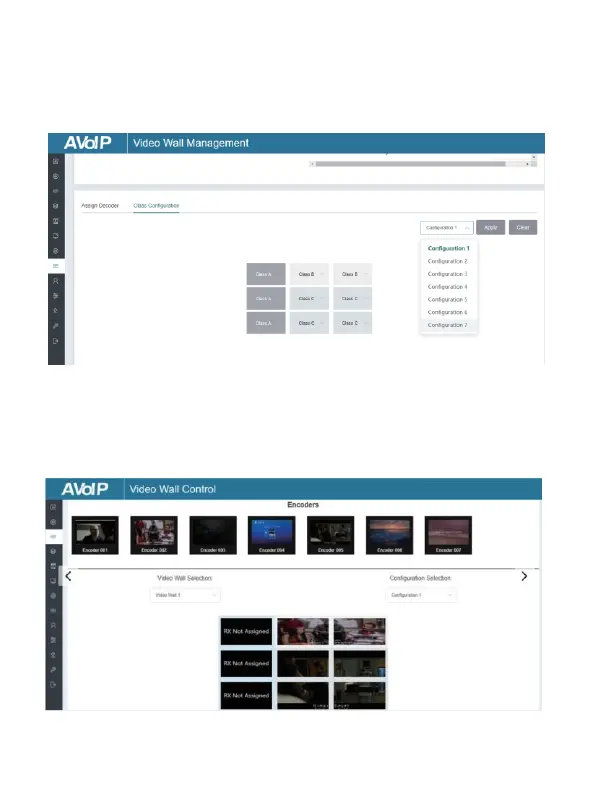
Step 3: Click “Class Configuration” to enter the class configuration page,
then click each screen to select the corresponding Class as required (the
same class name will form a video wall, you can create a regular or
irregular video wall by Class Configuration). Then click “Apply”.
Note: Up to eight configurations can be set up for different
application scenarios.
Step 4: After configuration, you can switch to “Video Wall Control” page
for video preview, as shown in below.


 To Next Page