On this page, you can select different video walls and configurations that
you have set up by clicking the drop-down box on the right of “Video Wall
Selection/Configuration Selection”. Besides, you can directly drag Encoders
at the top of the page to the video wall to change signal sources.
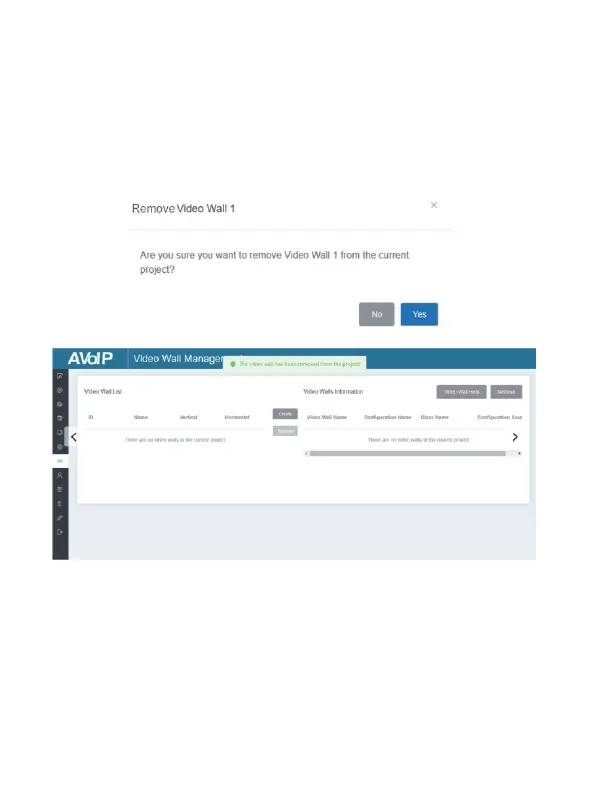
If you want to delete a video wall, just select the video wall on the “Video
Wall List”, then click “Remove” . A prompt window will pop up and you can
delete it after clicking “Yes”.
Remove
Notes:
(1) Each Decoder can be set into a part of a video wall array. Each system
can contain multiple video walls with different sizes. Each video wall
can be assigned to different screens and different layouts that range
from 1x2 up to 9x9.
(2) The controller creates and manages the video wall configurations
and provides a simplified control interface and API commands to
third party control system.


 To Next Page