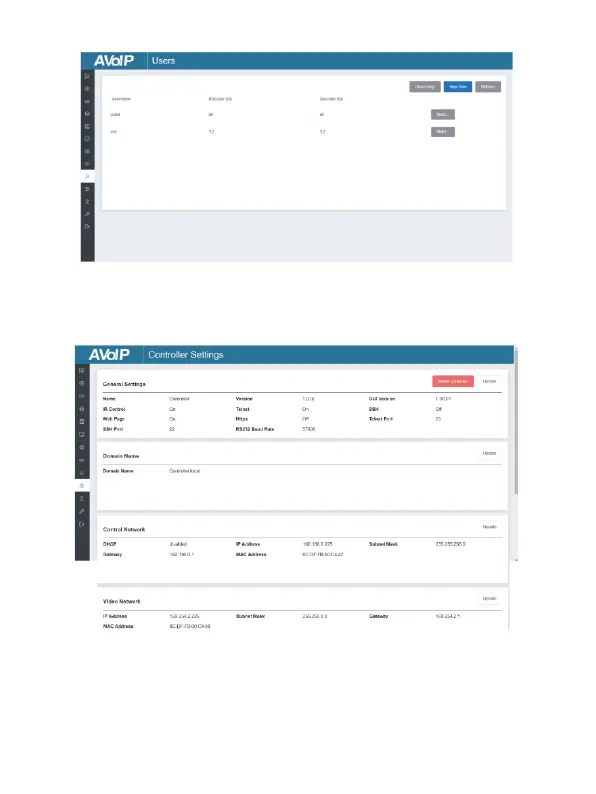
■ Users Page
On this page, you can add new user accounts with their own control
privileges. This will allow you to create a unique login and limit
features such as inputs and outputs that each person has access to.
■ Controller Settings Page
① General Settings: The basic settings of the Controller.
② Control Network: The network port configuration of the Controller
connected to the Switch.
③ Video Network:The network port configuration of the Controller
connected to video source devices.
You can update the settings or reset the Controller.


 To Next Page