INSTALLATION INSTRUCTIONS
INSTALLATION
INSTRUCTIONS
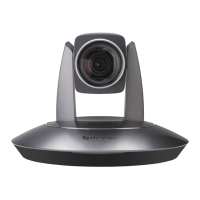
The camera has 4 installation types: desktop,
ceiling, wall, pendant mount installations.
Note
Before installing, make sure there
is enough space to install the
camera and its parts.
Make sure the installed place is
strong and safe enough to hold the
camera and relative parts, it is
suggested that the installed place
can withstand 4 times the weight of
the camera and its relative parts.
Desktop Mount Installation
1. Put the camera on a flat surface. In case
the camera has to be placed on an
inclined surface, make sure the cline
angle is less than 15 degrees to ensure
proper pan /tilt operation.
Note
Take effective measures to avoid
camera from dropping.
Do not grab the camera head
when carrying.
Do not rotate the camera head
with hand. It may cause
malfunction to the camera.
Wall Mount Installation
1. According to diameter and position of the
4 installation holes (As shown below) on
the bracket, drill 4 holes on the wall and fix
the bracket onto the wall by using 4
screws which should be prepared by you.
2. Before fixing the camera, set the DIP
switches of the camera correctly.


 To Next Page