14 Installing the Interactive Whiteboard
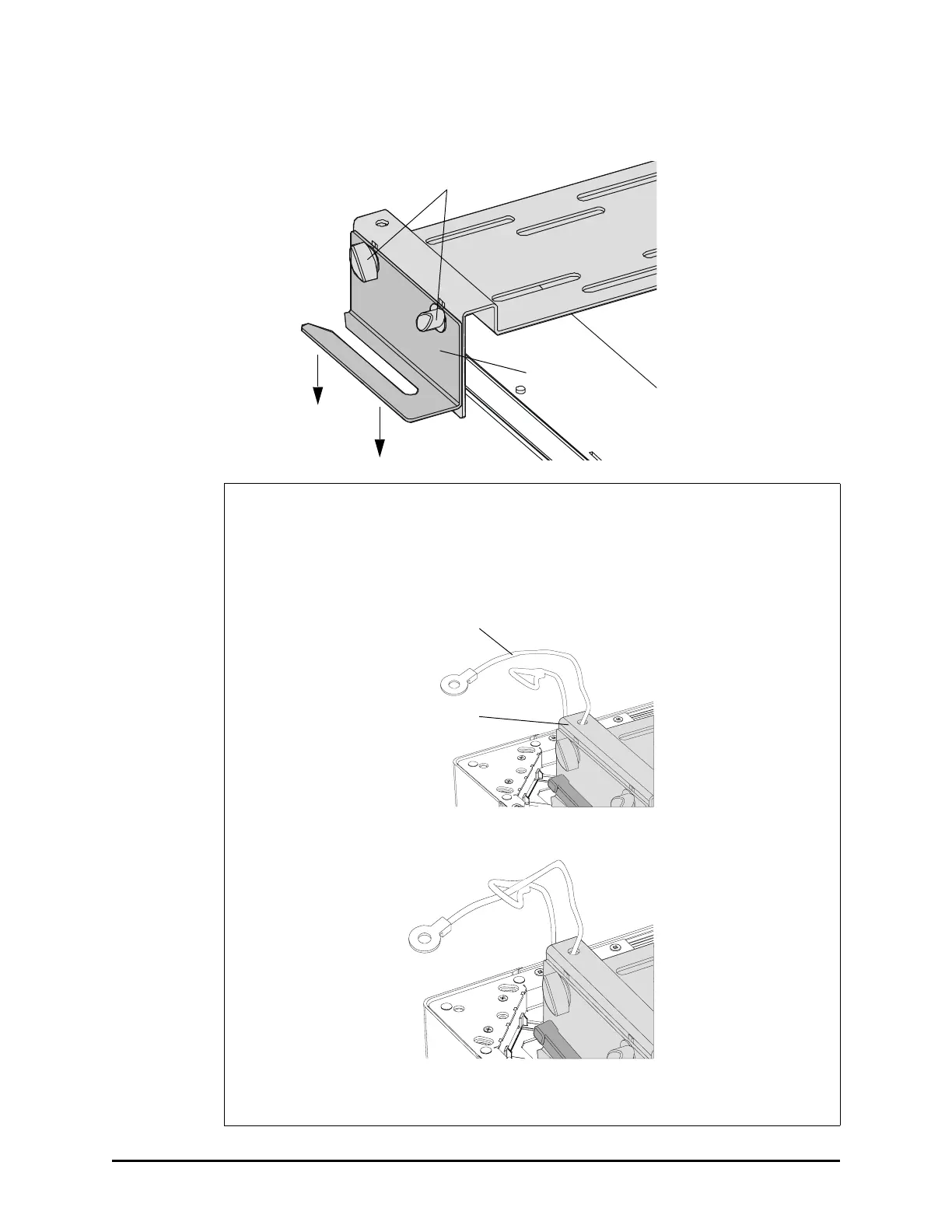
11. Loosen the t-handles on the hanger brackets. Push these brackets towards the table
surface and then tighten the t-handles.
Optional Security Procedure
If you want an additional level of security, you can install two security cables.
i. Loop the cable through the hole in the center section of the mounting bracket.
ii. Loop the cable through itself.
iii. Attach a second security cable in the same way.
You’ll complete the second half of this security procedure later.
T-handles
Hanger Bracket
Mounting
Bracket
Security Cable






 To Next Page