Installing the Interactive Whiteboard 15
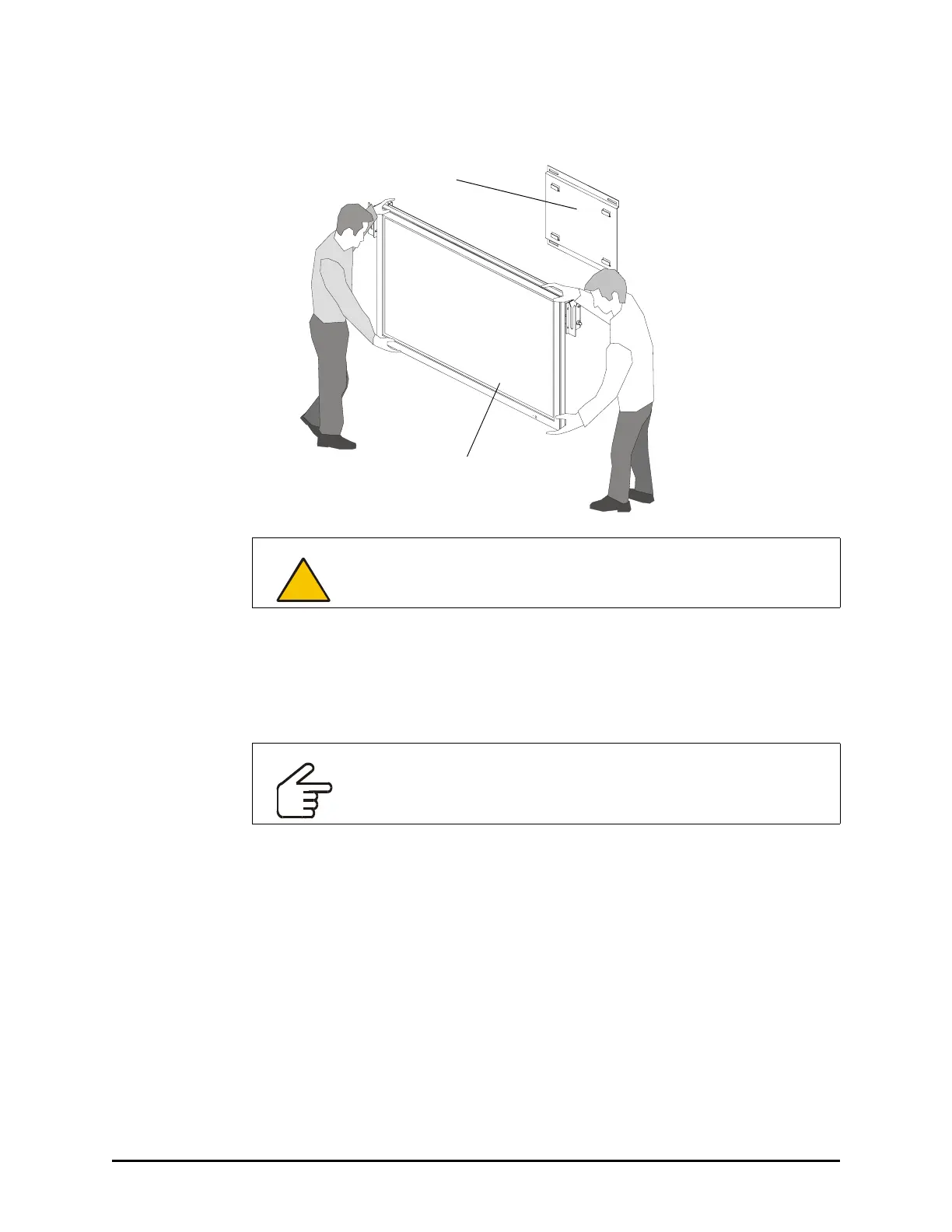
12. With the assistance of another person, mount the flat-panel display onto a wall mount
or onto a stand.
13. If your flat-panel display has removable handles, remove them to make the installation
of the overlay easier.
14. If there is anything protruding from the front of the flat-panel display that could
potentially scratch the overlay once it is mounted, for example, a manufacturer’s name
or logo, consider covering this with one of the provided spacing pads.
CAUTION
Do not lift the flat-panel display by the mounting bracket.
IMPORTANT
In the next step, you’ll attach two adjustment handles to the overlay.
However, take a moment to familiarize yourself with how to tighten and
loosen these handles before you attach them.
Wall Mount
NOTE: Your wall mount
Flat-Panel Display
may appear different from
the one illustrated.





 To Next Page