Hussar Robot Chassis Manual
Smart Restaurant Solutions 15
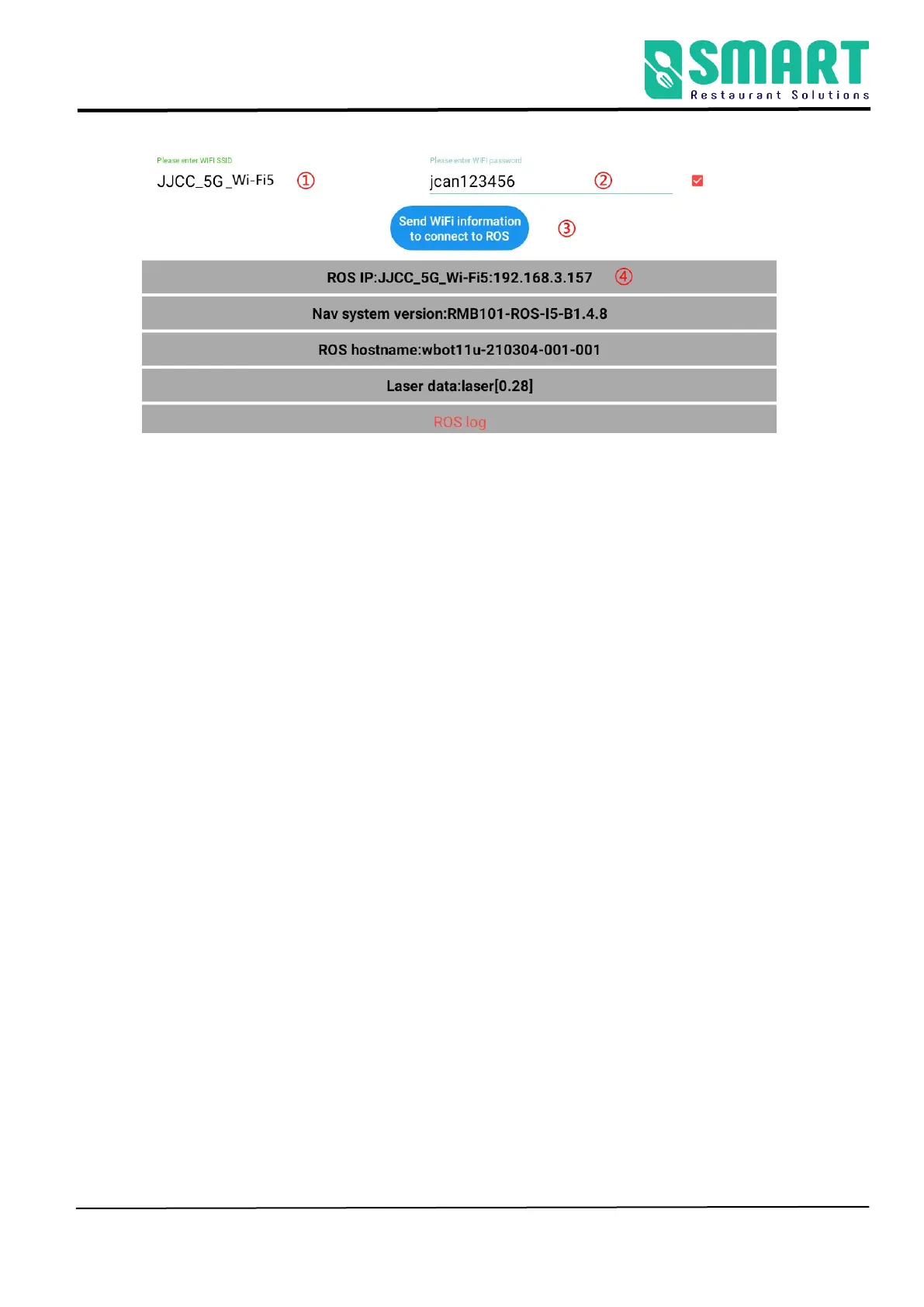
① Check the Wi-Fi name you want to connect to
② Enter Wi-Fi password
③ Send Wi-Fi information to the navigation system ( just click
once, don't click repeatedly)
④If show IP, connection succeeds (If shows 127.0.0.1, connection
fails)
3. The scanning device should be connected to the same LAN as
the robot. Open the browser and input the IP address of the
robot (Chrome browser is recommended)
If the Wi-Fi connection fails, you can click ③ again to reconnect.
If it still fails, you can connect to another network.



 To Next Page